Gaming Input and the Arcade
130 likes | 249 Vues
This overview delves into various input types used in gaming, focusing on keyboard and mouse functionalities, as well as arcade inputs. It highlights how input is treated as an event that needs to be caught and buffered, particularly through the use of SDL (Simple DirectMedia Layer), which simplifies game production by providing easy access to input and output functions. The discussion includes a sample program that illustrates the rotation of a cube based on keyboard and mouse inputs, emphasizing the importance of effective input handling in gaming environments.


Gaming Input and the Arcade
E N D
Presentation Transcript
Donald Heer 2/14/2011 Gaming Input and the Arcade
Overview • Input Types • Keyboard • Mouse • Examples • The Arcade • What inputs does the arcade have?
Inputs in General • Input is an Event • Event: an action that is usually initiated outside the scope of a program • Asynchronous • Should be ‘caught’ and buffered
Simple Directmedia Layer (SDL) • SDL is a ‘wrapper’ that allows for use of many standard function in a way that is easier for producing games • SDL contains input and output functions including mouse, keyboard, sound, and video. • SDL is compatible with OpenGL
Sample Program • The sample program we will be using is: • Based on NeHe source (Lesson 3) • Controls the rotation of a cube based on mouse and keyboard input.
Keyboard Events bool Lesson::processEvents(){ SDL_Event event; while (SDL_PollEvent(&event)){ switch (event.type)case{ case SDL_KEYDOWN:{ SDLKey sym = event.key.keysym.sym;
Mouse Events bool Lesson::processEvents(){ SDL_Event event; while (SDL_PollEvent(&event)){ switch (event.type)case{ case SDL_MOUSEBUTTONDOWN:{ std::cout << "Mouse Button Pressed."; if( event.button.button == SDL_BUTTON_LEFT )
Example • Lets look at the sample code.
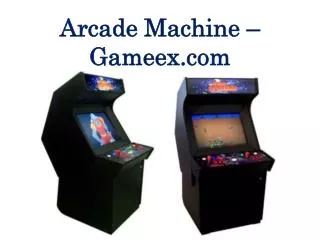
2 player Support Acts as a Keyboard Currently setup for ‘free play’ The Arcade
Player 1 Controls • ‘Add Credit’ button is ‘5’ • Limit your program to no more than 8 buttons at once • http://www.ultimarc.com/ipac2.html
Arcade Gotchas • Make sure to check for all buttons, not just the ‘first button’
Summary • Input must be captured and processed when time is available • Special abilities (click and hold) need to be hand made in many cases