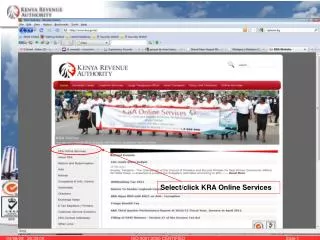
Step-by-Step Guide for Kenyan Taxpayer Registration Online
This comprehensive guide provides detailed instructions for both new and existing taxpayers in Kenya. For new taxpayers, it covers how to register by entering your ID number, date of birth, district of birth, and mother’s last name, followed by validation steps. Existing taxpayers are guided on how to retrieve their password using their PIN and mother’s last name validation. Follow these steps meticulously to ensure successful registration or password retrieval for seamless access to online tax services.

Step-by-Step Guide for Kenyan Taxpayer Registration Online
E N D
Presentation Transcript
Option for Kenyan residents Option for Non -Kenyan residents Option for Companies
1. Type ID number 2. Choose Date of birth 3. Select District of birth 4. Type Mother’s last name e.g. 5. Choose Date of birth e.g. 1974 Then click the “Validate” button
Type passport number e.g. Then click the “Validate” button
Type Cert. of registration e.g. Choose date Then click the “Validate” button
Type in the PIN e.g. Click “Validate” button
Select “Mother’s Last Name” option Type last name e.g. OKUMU Click “Validate” button