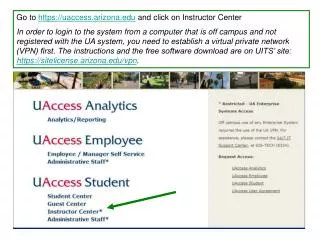
Accessing Instructor Center Off-Campus via VPN for Grade Roster Management
40 likes | 160 Vues
To log into the Instructor Center from an off-campus computer not registered with the UA system, you must first establish a Virtual Private Network (VPN). Download the necessary software and find instructions at the UITS site: https://sitelicense.arizona.edu/vpn. Once logged into the Instructor Center, select "My Schedule" and click the “people” icon to view your roster. Grade rosters will be available after May 6th, following the final class day of the semester. A new icon will appear to process and view grades.


Accessing Instructor Center Off-Campus via VPN for Grade Roster Management
E N D
Presentation Transcript
Go to https://uaccess.arizona.edu and click on Instructor Center In order to login to the system from a computer that is off campus and not registered with the UA system, you need to establish a virtual private network (VPN) first. The instructions and the free software download are on UITS’ site: https://sitelicense.arizona.edu/vpn.
Instructor Center Choose “My Schedule” in your Instructor Center
Grade rosters will be produced on May 6th, after the last class day of the semester. When grade rosters are available, a new icon will appear. Click on the icon to view and process grades.