The WPImap
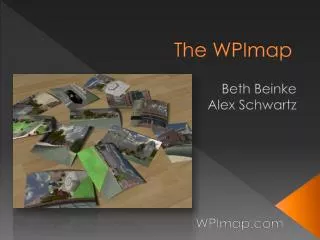
The WPImap project, which began as a GDC initiative, transformed into an interactive 3D mapping experience of the entire WPI campus. Revamped as an IQP, this public kiosk located in the Bartlett Center offers a realistic 3D model, allowing users to take a guided 7-minute Segway tour with audio. We utilized digital cameras for photo textures, Autodesk Maya for modeling, and UnrealEd v3 for scripting and importing. Challenges included technical issues and startup complications, but we overcame them, leading to positive feedback and successful interactive engagements with users.

The WPImap
E N D
Presentation Transcript
The WPImap Beth Beinke Alex Schwartz WPImap.com
WPImap - Summary • Started as GDC project • WPI Halo Map • Revamped the map as an IQP • A public kiosk in the Bartlett Center • Realistic 3-D interactive map of the entire campus • 7 minute tour of campus on a segway complete with audio
WPImap – What tools did we use? • Digital cameras • for photographs of campus to create textures • Autodesk Maya • for 3D modeling and texturing • UnrealEd v3 (UT2004) • Model importing • Scripting • Static mesh placement • Emitters • Vehicles (Segway) • SVN • Checking out and committing files • Sequential backups
WPImap - Problems • Programs Crashing • Kiosk • Physical problems • Getting it to start up in the morning • Coding difficulties • 2 art majors, no tech • Segway • Videos
WPImap - Successes • Ease of use • Positive Feedback • Publicity • Professional looking hardware • Goals were achieved • Interactive 3D model of campus • Segway audio tour
WPImap – What We Learned? • Team skills and cooperation • Time Management • Goals • Clearly defined • Weekly goals (advisor meetings) • Overall term goals • Expect and plan for problems • Use SVN • Save often
WPImap – Next year • GDC project to add to the map • Fix problems • Skull Tomb • Field • Higgins House • Building interiors • Beth and Alex Dev Leaders