Comprehensive Guide to Program Management in Software Development
This document outlines the key responsibilities of a Program Manager in the software development lifecycle. It covers crucial aspects such as customer point of contact, technical ownership, and the creation of functional requirements specifications. Emphasizing usability and user experience, it details the importance of collaboration with developers, QA, and designers. Additionally, it explores various documentation practices, including concept of operations and wireframing, ensuring a structured approach to project execution. Ideal for professionals looking to enhance their understanding and streamline processes.

Comprehensive Guide to Program Management in Software Development
E N D
Presentation Transcript
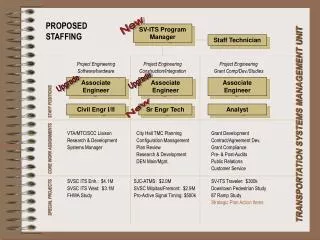
Program Manager • Other names: Software System Engineer, Solution Engineer • Strong technological and Software Development Background • For UI projects: Strong background in usability • Technical ownership/responsibility of the project. Support development team. • Customer Point of Contact (PoC) for technical issues
Functional Requirements Specifications • Other name: Software Requirements Specifications • Input for • Customer to approve • Software Architect to design internal software working • QA to prepare test cases • Graphical Designer to design UI elements • Documentation team to prepare manuals • Support and operation to prepare support procedures • Developers to estimate required effort and guide development (together with software architector)
FRD Highlights • How system should behave to provide features? • Behavior from the point of view of users (not internal working) • User Interface Specifications • Includes • General Concept of Operations • Sequence of actions system should perform • Expected results triggered by the user actions or external events
Concept of Operation • Frequently in the separate document (ConOps) • Executive Summary of the system • Readable Document not a specifications • Highlights from MRD/PRD/FRD • Problem Background/System Goals • Users and stakeholders • Modes (Scenarios) of operation • ConOps should give a rough concept of what system will look like
User Interface • Individual screens and their elements • Web Pages, Dialogs, navigation widgets • Storyboards
Some Usability/UI design principles • Direct Map Between user Task and UI action • Compare Copy & Paste vs. Drag’n’Drop • Provide Feedback on Action • Clicking sound on digital camera • Constrain the possible set of actions • Disabled log-in button if no password provided • Utilize previous experience • Same look and feel within or across the applications • Allow human error • Undo button • Indicate Current State • Wait cursor, Breadcrumbs
Eclipse: www.eclipse.org • Eclipse is a multi-language software development environment comprising an IDE and a plug-in system to extend it • With the exception of a small run-time kernel, everything in Eclipse is a plug-in. • Download and install
Wireframe Sketcher with Eclipse Download trial @www.wireframesketcher.com
Concluding remarks • Problem->features->behavior is a way of thinking • In real-life organization things can get mixed up • In startup environment might have • CEO as its Business Analyst • Developer is Product Manager and all the specifications are in e-mail • Not necessary bad • Use formal approach when benefits >overhead
Assignment #4 • Planning Team presentation of functional specifications Larger presentation • Concept of operation (1-2 pages) • Wireframe design for all major screens • Tractability for Product Requirements • 2-5 Storyboards/Flows for major usage scenarios
System Design • Inner working of the system • Top-Level design, system architecture • System Architect • Detailed design • Software Engineer, Architect • Software Design Document (SDD)