Download
1 / 7
70 likes | 197 Vues
This study investigates the challenges in teleoperation interfaces for Autonomous Ground Vehicles (AGVs), highlighting issues such as communication overhead, poorly designed systems, and the use of outdated technologies. Conducted at the University of Florida's Center for Intelligent Machines and Robotics, the research includes user evaluations of existing interfaces in controlled settings. Findings demonstrate user preference for video interfaces, which improved ease of learning and boosted confidence. Statistical analyses confirm that the performance differences observed may not be significant, prompting further exploration of interface improvements.

E N D
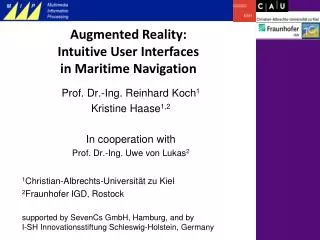
Augmented Reality Effects in JAUS Subsystem Commander Teleoperation Interfaces Problem areas with AGV teleoperation interfaces: - Communication - High-overhead - Poorly Designed - Outdated technologies Gregory Garcia Center for Intelligent Machines and Robotics Dept. of Mechanical and Aerospace Engineering University of Florida December 2008
User Study Conditions • Apparatus: • Quiet Room (2 days) • Laptop Computer (15.4 inch 1280x800 display) • Optical Mouse • Experimental and control Interfaces • Study Protocol: • 5 minute tutorial and Q/A (2x) • Interface Evaluation (2x) • Questionnaire • Metrics: • Quantitative • Error Rate • Decision making time • Qualitative • Situational Awareness • Interaction Style • Eye Gaze • Random testing order • Ease of use • User Confidence • Strengths/ Weaknesses
Results and Analysis • Ho: OERstandard ≤ OERvideo Ha: OER standard > OERvideo • p-value = 0.27996, t’ = 0.58977, tα = 1.69913 • Fail to reject the Null Hypothesis • 28% probability that pattern is due to chance One sided T-test for independent samples w/ unequal variances α = .05 • H0: DMTstandard – DMTvideo = 0 Ha: DMTstandard – DMTvideo ≠ 0 • p-value = 0.2203, t’ = 1.26524, tα/2 =2.08596 • Fail to reject the Null Hypothesis • 22% probability that patter is due to chance Two sided T-test for independent samples w/ unequal variances α = .05
Results and Analysis (2) • Other Observations • Unanimously chose Video interface • Highest marks for ease of learning • Increased User Confidence Level • Color scheme received favorably • Rely heavily on video for initial big-picture, used sensor fusion for details