Interactive Student Notebooks
Interactive Student Notebooks . A Creative Option for Notes. Why the Interactive Notebook? . Students become active learners and take ownership of the material presented in class or through homework Students use their visual and verbal skills as they react to information

Interactive Student Notebooks
E N D
Presentation Transcript
Interactive Student Notebooks A Creative Option for Notes
Why the Interactive Notebook? • Students become active learners and take ownership of the material presented in class or through homework • Students use their visual and verbal skills as they react to information • Build organization skills • Acts as a portfolio of student work
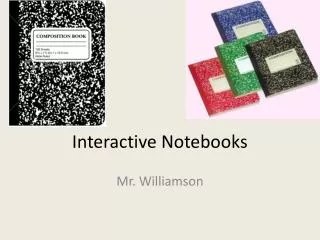
A Spiral Notebook? Really? • Novelty • Everything is taped in … more secure • Much higher success rate than with binders with my students • Ok… so what kind?? • 3 or 5 subject • Vinyl cover • Offer extra points for donated notebooks
How do I get started? • Need very clear guidelines/expectations • http://teachergenius.teachtci.com/wp-content/uploads/2011/01/Notebook-Guidelines-Secondary.pdf • Grading system • Stamps • Parent Review w/ Feedback • Self-evaluation • Significant role in quarterly average
Cover • Ownership = Pride = Quality (usually) • Basic Information • Name • Class Period • Teacher’s Name • Images about our class – preview opportunity • Images about them • Page protector
Table of Contents • Running list of all assignments and activities • Save first 4 or 5 pages for Table of Contents • Format Suggestion: Page #, Title of Page, Date & Type of Grade
Helpful Hints • Have students number ahead… warn them to double check that they haven’t skipped any pages • “Containment Rule”… each page is exactly that- ONE (side of a) page. Nothing “spills over”. Use of tape to make a page that folds out for things that won’t all fit on one page. Creativity at it’s best in many cases here!
TCI Progression • Preview • Activate prior knowledge, introduce key ideas or create an emotional connection to event/information to come • Notes/Information • Gaining information through notes, handouts, etc… • Processing • Activity that requires students to use notes/information from lesson and interact with it to create “product”
Right Side v. Left Side • Start with page #1 on the back of last Table of Contents page… so odds are on the left and evens are on the right • Typical rule of thumb- Right side is teacher “driven” or provided; Left side is student created- evidence of thought and processing of information given during class or homework, finding and making connections
Right Side- Input • Home of “Testable” information • Common set of info that all students must know • Class notes • Discussion Notes • Reading Handouts • Excellent opportunity for teacher to model graphic thinking
Left Side- Output • Students work out an understanding of information presented to them • Illustrations • Diagrams • Flow charts • Poetry • Colors • Cartoons • Written response • Students must DO something with information before they internalize it • Use of various learning styles
Variation on strict separation • Preview, Process & Respond on the left • Information on the Right as often as possible
Unit Introduction Pages • Excellent “Preview” activity • Suggested Requirements- Rule of 5 • Title big enough to see in the first 5 nanoseconds • 5 Images • 5 words or phrases- MUST be different from images (not simply labels) • At LEAST 5 colors used in the design
LOST and Found • What to do??? • Not common- pride, ownership & knowledge that ISN is a big part of their grade keeps them close to home • Need for a classroom version • Table of Contents • Right Side • Lost = student’s responsibility to replace and recreate starting at last graded section
Ideas for Interactive Notebooks • Make connections outside classroom • Mind notes • Mosaics of words and images • Perspective pieces • Pictowords • Political Cartoons • Postcards • Poster • Report Card • Sensory Figures • Spectrums • T-Chart for comparisons • Venn Diagrams • “What If” Statements • Advertisements • Annotated Maps • Annotated Illustrations • Book/CD Cover • Caricatures • Eulogies • Facial Expressions • Flow Charts • Forms of Poetry • Historical Journal (POV) • Illustrated Dictionary Entries • Illustrated Outlines, Proverbs, Timelines • Invitations
Tips for Quality • Allow students to use their notebooks on open note quizzes • Spot check for small measures randomly (Table of Contents up-to-date, page numbers visible on pages, “Shake” test) • Set aside time for notebook maintenance- everyday as warm-up or periodically as papers ready for return