Understanding Internet Security Threats: Phishing, Malware, and Encryption Basics
This lecture covers key topics in internet security, focusing on common threats like phishing, viruses, and malware, as well as encryption methods. Learn how web page requests function and the vulnerabilities present in data transmission. We explore various encryption techniques, including single key and public key encryption, while discussing the importance of security policies and backup strategies. Understand the evolving landscape of cybersecurity, including attacks by hackers and disgruntled employees, and the measures necessary to protect data integrity.

Understanding Internet Security Threats: Phishing, Malware, and Encryption Basics
E N D
Presentation Transcript
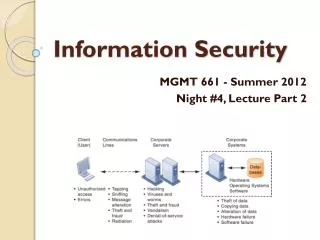
Information Security MGMT 661 - Summer 2012 Night #4, Lecture Part 2
Common Problems • Phishing and Spoofing • Viruses • Worms • Trojan Horse • Spyware • Key loggers
How secure is the Internet? • How a web page request works • it’s more like a series of text messages than a phone call • lots of machines see those packets • Sniffing • Denial-Of-Service Attack • Distributed Dos
Encryption 101 • Single Key Encryption • One key used for encryption and decryption • The key is private • Used for secure email and VPNs • Public Key Encryption • The one key for encryption is public • The other key for decryption is private • Used for the web • No Encryption Scheme is 100% unbreakable
Single Key Example: Simple Substitution Cipher Key = list of character substitutions Example: Key = “Chair” A B C D E F G H I J K L M N O P Q R S T U V W X Y Z Y Z c h a i r B D E F G J K L M N O P Q S T U V W X
Data Encryption Standard • adopted by National Institute of Standards in 1977 • 70,000,000,000,000,000 possible keys • Annual Contest to Break • 2006 - University of Bochum (Germany) used $10,000 hardware to get average search time of 6.4 days • Triple DES is very common
Wireless Security Textbook Figure 8-2
Threat Analysis • People • Hackers, Vandals, Cyber-Terrorists • Disgruntled Employees • Careless Employees • Physical • Fire, Water, Weather, … • Hardware Failure • Software Error
Mitigation • Data Backup • Automated backup • Offsite backup service • Fault Tolerant Servers • Security Policies • Appropriate Use Policy • Firewalls • Physical access to computing equipment • Passwords • Levels of access
Next Class • Your ideas for where business and IT are headed in the future • Midterm Exam