Exploring Newspaper Features and DTP Tools for Group Projects**
This lesson focuses on understanding various newspaper types and their unique features, as well as the essentials of Desktop Publishing (DTP). Students will discover the tools in Microsoft Publisher and apply their knowledge through group work, creating a newspaper tailored for Selby High School. Tasks include identifying key aspects of different newspapers, planning content collaboratively, and using research resources like Selby Times and York Evening Press to gather potential news stories. Each student will contribute a double-sided page to the final publication.

Exploring Newspaper Features and DTP Tools for Group Projects**
E N D
Presentation Transcript
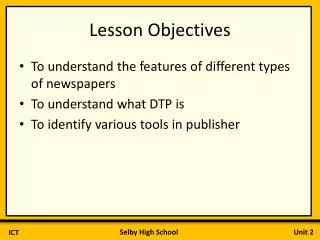
Lesson Objectives • To understand the features of different types of newspapers • To understand what DTP is • To identify various tools in publisher
Task 1: What do you already know? • Find the Publisher Features excel sheet and test what you already know about publisher
DTP • What does DTP stand for? • What software will we use?
Newspapers In this unit you are going to be making a Selby High newspaper in groups. How many different news papers can you think of? What makes each newspaper different?
What are the key features of this newspaper front page? Who do you think its aimed at?
What are the key features of this newspaper? How do they differ?
Task 2: Planning your newspapers You will be making a newspaper in groups of 4 or 5. The newspaper will be for Selby High School students Each person needs to make 1 double sided page Use the sheet to plan your group newspapers
Extension • Use the internet to begin research on potential news stories. • You may want to try • Selby times • York Evening Press • Newsround • Copy and paste any interesting information onto a word document to use next lesson