JavaScript DOM Manipulation Techniques for HTML Elements
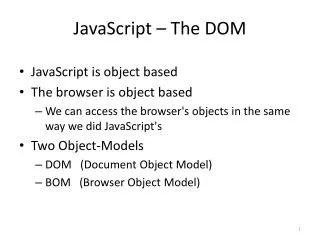
This guide demonstrates various methods to manipulate HTML elements using JavaScript's Document Object Model (DOM). It covers how to access elements by their IDs and names, modify styles and inner HTML, handle form inputs, and manage selections from drop-down lists. Key examples include changing text color, updating input values, alerting user selections from checkboxes and radio buttons, and dynamically modifying select options. A hands-on approach for understanding essential DOM methods and their applications in web development is provided.


JavaScript DOM Manipulation Techniques for HTML Elements
E N D
Presentation Transcript
getElementById("id") <span id="id1"></span> var eleS = document.getElementById("id1"); eleS.style.color = "red"; eleS.innerHTML = "…"; … * body內的html文件load後,才能呼叫document.getElementById("…")
getElementsByTagName("tag") <h1>Heading 1.1</h1> <h1>Heading 1.2</h1> <h1>Heading 1.3</h1> var arrH1 = document.getElementsByTagName("h1"); var strH11 = arrH1[0].innerText; arrH1[1].innerHTML = "…"; * body內的html文件load後,才能呼叫document.getElementsByTagName("…")
getElementsByName("name") <a name="a1">a1 Here!</a> <br /> <input name="a1" type="text" value="input here!" /> var arrA1 = document.getElementsByName("a1"); arrA1[1].value = "…"; * body內的html文件load後,才能呼叫document.getElementsByName("…")
HTML DOM Objects • anchor • link • image • form • input • select, option • textarea • button • table • row • cell
Form Objects • form • input • text, password, hidden, checkbox, radio, file, button, submit, reset • textarea • select • option • button
Properties input
<form name="join" …> Country: <input type="text" id="ctry" name="ctry" value="Taiwan" /> <br /> User Name: <input type="text" id="uid" name="uid" value="Your id" /><br /> Password: <input type="password" id="pwd" name="pwd" value="mypwd" /><br /> … </form> value var f1=document.getElementById("join"); f1.ctry.value = "Taiwan"; document.getElementById("ctry").value = "Taiwan"; disabled f1.ctry.disabled = true; readOnly f1.pwd.readOnly = true; accessKey document.getElementById("pwd").accessKey = 'p'; //Alt+p
Members: <input type="checkbox" id="yahoo" name="yahoo" value="yahoo" />Yahoo! <input type="checkbox" id="google" name="google" value="google" />Google <input type="checkbox" id="youtube" name="youtube" value="youtube" />Youtube Payment: <input type="radio" id="payV" name="pay" value="Visa" checked="checked" />Visa <input type="radio" id="payM" name="pay" value="Master" />Master <input type="radio" id="payJ" name="pay" value="JCB" />JCB *checked var yahoo=document.getElementById("yahoo"); if (yahoo.checked) alert("You select Yahoo!"); document.getElementById("google").checked = false; var payV = document.getElementById("payV"); if (payV.checked) alert("Your payment via: "+payV.value); document.getElementById("payJ").checked = true; // Use getElementsByName("…") var arrPay = document.getElementsByName("pay"); if (arrPay[0].checked) alert("Your payment via: "+arrPay[0].value); arrPay[2].checked = true;
Month: <select id="month" name="month"> <option>Jan.</option> <option value="February">Feb.</option> <option>Mar.</option> <option value="April">Apr.</option> </select> *selectedIndex var month = document.getElementById("month"); alert(month.selectedIndex); month.selectedIndex = 2; * options[] var opt = month.options[month.selectedIndex]; alert(opt.text+" / "+ opt.value); * selected opt.selected = true; document.getElementById("month").options[2].selected = true;
multiple select Web Technologies: <br /> <select id="wts" name="wts[]" size="5" multiple="multiple"> <option selected="selected">HTML</option> <option>XHTML</option> <option>CSS</option> <option selected="selected">JavaScript</option> <option>ASP</option> <option selected="selected">PHP</option> </select> var wts = document.getElementById("wts"); var str1=""; for (var i=0; i<wts.length;i++) { if (wts.options[i].selected) str1 += wts.options[i].text+", "; } alert("You select : "+str1);
add(), remove() of Select * remove() month.remove(2); month.remove(month.selectedIndex); before the 4-th option Month: <select id="month" name="month"> <option>Jan.</option> <option value="February">Feb.</option> <option>Mar.</option> <option value="April">Apr.</option> </select> var month = document.getElementById("month") * add() var opt1 = new Option(); opt1.text = "五月天"; opt1.value="May" month.add(opt1); // month.add(opt1, 4)
var tbl = document.createElement("table"); tbl.id="tid"; var cap = tbl.createCaption(); cap.innerHTML="9x9 乘法表"; tbl.insertRow(0); for (var i=0;i<8;i++) { tbl.rows[0].insertCell(i); tbl.rows[0].cells[i].className="cTh"; tbl.rows[0].cells[i].innerHTML=i+2; } tbl.insertRow(1); for (var i=0;i<8;i++) { var k=i+2; tbl.rows[1].insertCell(i); var str=""; for (var j=1;j<10;j++) str += k+" * "+j+" = "+k*j+"<br />"; tbl.rows[1].cells[i].innerHTML=str; } document.body.appendChild(tbl); #tid {width:900px; border: 8px outset green; border-collapse: collapse;} #tid .cTh {text-align:center; font-size: 20pt; font-weight: bolder; color:red;} #tid td {padding:5px 10px; border: 3px inset green;}
What We learned 使用document.createElement("tagName")產生一個元素節點。 使用table.insertRow(i)產生第i列,使用table.rows[i]存取第i列。 使用row.insertCell(j)產生該列第j個cell(行),使用table.rows[i].cells[j]存取第i列之第j行。 使用element.appendChild(node)將節點node附加至元素element之下。
Creating an Image var img = new Image(); img.src="lily.png"; img.alt="A lily picture"; … var img = document.createElement("img"); img.setAttribute("src", "lily.png"); img.setAttribute("alt", "A lily picture"); …
Example 1 http://www.im.ncnu.edu.tw/~ycchen/www2010/lab/image/imageObj.html var ind=0; var imgFiles= ["sf003.jpg", "sf027.jpg", "sf029.jpg", "sf032.jpg", "sf033.jpg", "sf038.jpg"]; var imgArr=new Array(); … for (var i=0;i<imgFiles.length;i++) { imgArr[i]=new Image(); imgArr[i].src = imgFiles[i]; } … document.getElementById("img1").src = imgArr[++ind].src; … <body> …<img id="img1" src="sf003.jpg" />… </body>
Example 2 http://www.im.ncnu.edu.tw/~ycchen/www2010/lab/image/imageObjx.html var ind=0; var imgFiles= ["sf003.jpg", "sf027.jpg", "sf029.jpg", "sf032.jpg", "sf033.jpg", "sf038.jpg"]; … document.getElementById("img1").src = imgFiles[++ind]; … <body> …<img id="img1" src="sf003.jpg" />… </body>
Cookie "cookieName=cokieValue; Max-Age=seconds; Path=pathName; Domain=domainName" " cookieName=cokieValue; Expires=date; Path=pathName; Domain=domainName " ex. "count=1; Expires=Mon, 27 Apr 2009 11:43:24 UTC; Domain=www.im.ncnu.edu.tw""nickName=fred; Max-Age=600" "isVisit=1"
Set Cookie var eday = new Date(); eday.setDate(eday.getDate()+7); //cookie's life: 瀏覽器開啟時間, i.e., Session Cookie document.cookie="count=1"; //cookie's life: cookie設定起7天 document.cookie="count=1; Max-Age="+60*60*24*7; // cookie's life: 到期日 document.cookie="count=1; Expires="+eday.toUTCString(); document.cookie="userName="+escape("小明");
Get Cookie document.cookie="count=1"; document.cookie="userName=fred; Expires= Mon, 27 Apr 2009 11:43:24 UTC"; var cookieStr=document.cookie; //"count=1; userName=小明" var cookieArr=document.cookie.split("; ") // cookieArr[0]: "count=1" cookieArr[1]: "userName=小明" var cookie1Arr = cookieArr[1].split["="]; // cookie1Arr[1]: userName cookie1Arr[1]: 小明 var user= unescape(cookie1Arr[1]); //小明
var cookieArr=new Array(); getCookies(); var visitCount = parseInt(cookieArr['count']); var userName = cookieArr['userName']; … function getCookies() { var cookies = document.cookie.split("; "); for (var i=0;i<cookies.length;i++) { var cnv = cookies[i].split("="); cookieArr[cnv[0]] = unescape(cnv[1]); } }
https://webmail.ncnu.edu.tw/ function fl() { var key=document.cookie; var form=document.lf; if ( key.match(/uid=([^;]+)[;]*/) ){ form.USERID.value = RegExp.$1; form.remember.checked = true; } } // uid是cookie名稱,改成你的cookie名稱 <body onLoad="fl();document.lf.USERID.focus()">
Delete Cookie document.cookie="count="; document.cookie="count=; Max-Age=0"; document.cookie="userName=; Expires=Mon, 01 Jan 1990 00:00:00 UTC";
var cookieArr=new Array(); getCookies(); if (!cookieArr['count']) { document.cookie = "count=1; max-age=600"; reqNickName(); } else { cookieArr['count'] = parseInt(cookieArr['count'])+1; document.cookie = "count="+cookieArr['count']+"; max-age=600"; alert("Hi! "+cookieArr['nickName']+"\nThis is your "+cookieArr['count']+"-th visit."); } function reqNickName() { var nn = prompt("Please give a nick name:", ""); if (nn !="") document.cookie = "nickName="+escape(nn)+"; max-age=600"; } function getCookies() { var cookies = document.cookie.split("; "); for (var i=0;i<cookies.length;i++) { cnv = cookies[i].split("="); cookieArr[cnv[0]] = unescape(cnv[1]); } }