Complete Your Functional Java Clock Project by Today
30 likes | 167 Vues
Finish your complete Java Clock project using the CSS template provided in yesterday's homework section. This project is worth 2 grades, so ensure your clock is functional, stylized, and debugged correctly. Pay attention to potential code errors such as missing brackets or name mismatches (e.g., myClock vs myclock). Use Notepad++ to highlight code occurrences effectively, and access developer tools in browsers like IE (F12) or Chrome (CTRL+Shift+J) for debugging. Don't forget that the final project submissions from your remaining teammates are also due soon.


Complete Your Functional Java Clock Project by Today
E N D
Presentation Transcript
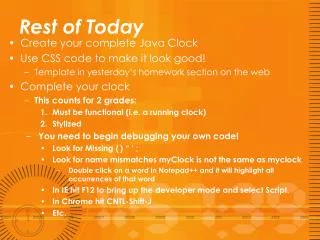
Rest of Today • Create your complete Java Clock • Use CSS code to make it look good! • Template in yesterday’s homework section on the web • Complete your clock • This counts for 2 grades: • Must be functional (i.e. a running clock) • Stylized • You need to begin debugging your own code! • Look for Missing { } “ ‘ ; • Look for name mismatches myClock is not the same as myclock • Double click on a word in Notepad++ and it will highlight all occurrences of that word • In IE hit F12 to bring up the developer mode and select Script. • In Chrome hit CNTL-Shift-J • Etc.
Reminder • The 2 remaining teams need to submit their part of the Final Project Rubric. When I change your grades from blank to missing, You grade will drop 2-3 grades.