
Uploaded by
ella
13 SLIDES
273 VUES
130LIKES
iPad Tips for Teachers
DESCRIPTION
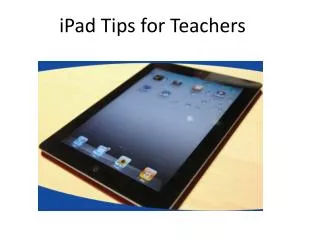
Discover essential iPad tips tailored for teachers to enhance your classroom experience. This guide covers the basics, including how to take screenshots, multitask effectively, and rearrange apps for optimal access. Learn to manage the status bar, set restrictions, and explore volume control features. In addition, find out how to utilize ZOOM and split-screen functionality. Finally, unlock extra characters and discover keyboard tips to maximize productivity. Perfect for educators looking to leverage technology in their teaching methods.
Download
1 / 13
Télécharger la présentation 
iPad Tips for Teachers
An Image/Link below is provided (as is) to download presentation
Download Policy: Content on the Website is provided to you AS IS for your information and personal use and may not be sold / licensed / shared on other websites without getting consent from its author.
Content is provided to you AS IS for your information and personal use only.
Download presentation by click this link.
While downloading, if for some reason you are not able to download a presentation, the publisher may have deleted the file from their server.
During download, if you can't get a presentation, the file might be deleted by the publisher.
E N D





More Related

Audio
Live Player