Enhance Your Organization's Efficiency with Gensuite Document Manager
The Gensuite Document Manager, developed in 2012, revolutionizes document management by providing a centralized, searchable repository for easy access to up-to-date policies and procedures. Key features include tiered access levels for different users, comprehensive revision control for multiple updates, and the ability to categorize and quickly search for documents. This program not only saves time and reduces frustration but also ensures compliance by minimizing the use of outdated documentation. For more information and training, visit the Help Me section on Gensuite!

Enhance Your Organization's Efficiency with Gensuite Document Manager
E N D
Presentation Transcript
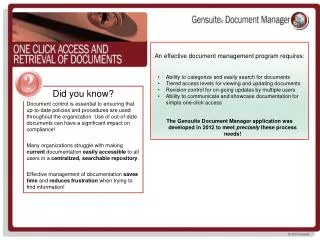
An effective document management program requires: • Ability to categorize and easily search for documents • Tiered access levels for viewing and updating documents • Revision control for on-going updates by multiple users • Ability to communicate and showcase documentation for simple one-click access The Gensuite Document Manager application was developed in 2012 to meet precisely these process needs! Did you know? Document control is essential to ensuring that up-to-date policies and procedures are used throughout the organization. Use of out-of-date documents can have a significant impact on compliance! Many organizations struggle with making current documentation easily accessible to all users in a centralized, searchable repository. Effective management of documentation saves time and reduces frustration when trying to find information!
More Information? Just check out Gensuite Help Me!… • Click Help Me! from Gensuite Home for more information on Document Manager or any other Gensuite app! • Ready to get started? Check the Quick Start Guide. • Click on the Help Me link • Click on the link for the New User Guide • Keyword search Answer Wizard for common questions • Click Need Training for upcoming training! Document Manager Functionality • Establish document “collections” with configurable permissions to differentiate document access needs between functions (i.e. EHS vs. HR vs. Quality). • Upload an unlimited number of documents in a variety of file formats/extensions • Check-in / Check-out documents to manage updates • View a complete history of file updates & access, including version tracking • Access quick links to recently viewed files & folders & search navigation • Optional feature: upgrade specific application attachment functionality to utilize a Document Manager collection for enhanced attachment management (i.e. Profiler, Framework Scorecard, etc.)