Setting Up a New Email Account using Microsoft Exchange, POP3, or IMAP
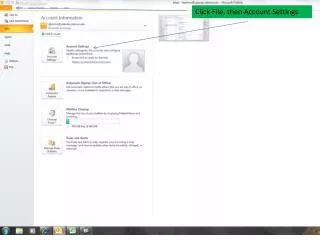
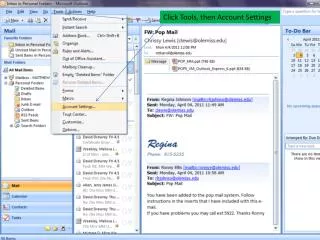
Learn how to manually configure a new email account using Microsoft Exchange, POP3, or IMAP. Start by accessing your account settings and selecting the desired email type. Input your name, email address, and specific server details including incoming and outgoing mail servers. After entering your voicemail password and phone extension, use the "Test Account Settings" option to check if your configuration is correct. If successful, you'll receive a test email in your inbox. Troubleshoot any issues by verifying your server and user information.

Setting Up a New Email Account using Microsoft Exchange, POP3, or IMAP
E N D
Presentation Transcript
Enter your name & E-mail address Choose POP3 Enter Incoming & Outgoing mail server Enter your 4 digit phone extension Enter your voicemail password
If tests are successful, you will see check marks and receive a test email in your Inbox. Click Close to continue. If the Test fails, verify User & Server info are correct.