Download
1 / 1
10 likes | 147 Vues
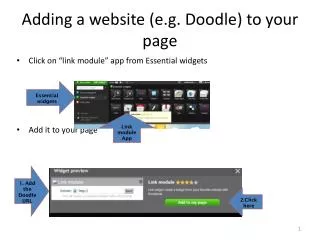
Learn how to seamlessly add a Doodle website to your page using the Link module app from Essential widgets. This guide covers the straightforward steps to enhance your page's functionality by integrating scheduling tools like Doodle. Start by clicking on the Link module app and following our simple instructions to input the Doodle URL and complete the setup. Boost user engagement and simplify scheduling with this effective integration.

E N D
Adding a website (e.g. Doodle) to your page • Click on “link module” app from Essential widgets • Add it to your page Essential widgets Link module App 1. Add the Doodle URL 2.Click here