Using The C++ Standard string Class
This guide provides an in-depth overview of the C++ Standard string class with practical examples. Learn to create and manipulate strings using various methods such as concatenation, replacement, and insertion. The tutorial covers essential concepts, including assignment statements, the use of operators, and string member functions like `substr()` and `getline()`. Enhance your understanding by exploring how dynamic sizing and file handling with strings work in C++. Suitable for beginners looking to grasp fundamental string operations in C++.

Using The C++ Standard string Class
E N D
Presentation Transcript
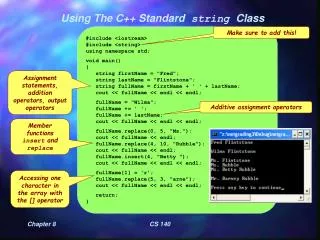
Using The C++ Standard string Class #include <iostream> #include <string>using namespace std; void main() { string firstName = "Fred"; string lastName = "Flintstone"; string fullName = firstName + ' ' + lastName; cout << fullName << endl << endl; fullName = "Wilma"; fullName += ' '; fullName += lastName; cout << fullName << endl << endl; fullName.replace(0, 5, "Ms."); cout << fullName << endl; fullName.replace(4, 10, "Rubble"); cout << fullName << endl; fullName.insert(4, "Betty "); cout << fullName << endl << endl; fullName[1] = 'r'; fullName.replace(5, 3, "arne"); cout << fullName << endl << endl; return; } Make sure to add this! Assignment statements, addition operators, output operators Additive assignment operators Member functions insert and replace Accessing one character in the array with the [] operator CS 140
Substrings and Size Adjustment with strings #include <iostream> #include <string> using namespace std; void main() { string name("Scooby Doo"); cout << name << endl << endl; string middle = name.substr(1,5); cout << middle << endl; middle.at(0) = name.at(7); cout << middle << endl; for (int i = 1; i <= 16; i++) { name.insert(7, middle + ' '); cout << name << endl; } cout << endl; return; } at member function substr member function string dynamically adjusts its size to accommodate new insertions! CS 140
Using getline() to accept sentences #include <iostream> #include <string> using namespace std; void main() { string questionOne; string questionTwo; string questionThree; cout << "What is your name? "; getline(cin, questionOne); cout << "What is your quest? "; getline(cin, questionTwo); cout << "What is the air speed velocity of a swallow? "; getline(cin, questionThree); cout << questionOne << endl; cout << questionTwo << endl; cout << questionThree << endl; } The getline() function takes a whole line of input including spaces. CS 140
Using strings to store filenames #include <iostream> #include <fstream> #include <string> using namespace std; void main() { string filename = "horribleSciFi.txt"; ofstream outfile; outfile.open(filename.c_str()); outfile << "Wesley Crusher\nJar Jar Binks\nNeelix\nEwoks\n" << "Rick Berman & Brannan Braga\n\n"; outfile.close(); } The c_str() function translates the string into a cstring. Wesley Crusher Jar Jar Binks Neelix Ewoks Rick Berman & Brannan Braga Final contents of ‘horribleSciFi.txt’. CS 140