Essential Warnings and Best Practices for Computer Safety
In this guide, we outline important warnings and safety practices for using computers. Warnings are crucial for ensuring safety, protecting equipment, and complying with the law. From simple instructions like "Don't do X" to stronger imperatives like "You must not," we provide examples and guidelines. Users should avoid risky behaviors, such as using personal programs on shared machines or exposing sensitive information online. Adhering to these warnings helps prevent damage and security breaches. Always be aware and follow safe practices in a computer environment.


Essential Warnings and Best Practices for Computer Safety
E N D
Presentation Transcript
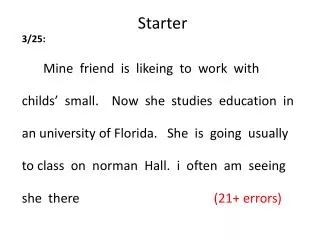
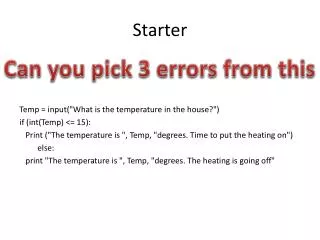
Starter 1
Starter 1 • D • G • B • C • F • A • e
Reading 2
Language Work: Warnings Warnings are used to: • Ensure safety. • Prevent damage to equipment and breaches of security. • Ensure the law is not broken.
Language Work: Warnings -1- The simplest warning are basic instructions NOT to do something: • Don’t do X • Never do X • Avoid Xing • No Xing For example: 1- Never give out your home address or phone number. 2- Avoid turning off main power while computer is running. 3- No smoking, eating or drinking at the computer lab.
Language Work: Warnings -2- Sometime the warning is twinned with matching good practice: • Always do Y; never do X. • Do Y rather than doing X. For example: 1- Use an IC extraction tool rather than a screwdriver.
Language Work: Warnings -3- Warning may be made stronger by using : • must/must not • should/ should not. For example: 1- You must not drink coffee in this lab. If you spill it you may damage the keyboard.
Language Work: Warnings -4- If there is any reason to fear the warning may not be understood, a reason for the warning may be added. For example: 1- Never remove ICs with a screwdriver. The pins are very fragile.
Language Work: Warnings Where might you see these warning ? • Advice for using IRC. • Chassis of computer (Computer case). • Computer handbook. (Computer Manual). • Data protection Act. • Computer lab notice. • Technician’s handbook.
Avoid giving open access to PCs because you may get viruses. • Never use your own programs on these machines. You may introduce viruses. • You must not drink coffee in this lab. If you spill it you may damage the keyboard. • Don’t give financial information in a chat rom. Some one may try to cheat you. • Always keep your password a secret. Someone may hack in to your system. • Use up to date antivirus software. New viruses appear all the time.
7. Always wait until a computer has reached normal room temperature before using it or you may damage the hard disk. 8. Never remove cards from there anti-static packing until required. Otherwise you may damage them. • Use an IC extraction tool rather than a screwdriver. The pins are fragile. 10. You must not work on a computer with the power on because you may be electrocuted.
Problem Solving • 24 seven. • Broadband 2 • Broadband 1 • Pay As You Go
Specialist Reading – Part A • Line 9 • Line 12 • Line 13 • One • Line 28 • Line 35 • Line 45 • Line 52