Unlocking HTML5: Features and Advantages for Modern Web Development
Discover the powerful features of HTML5 that cater to every developer's needs. This video by Jason Hanley from Syllogistic Software Inc. covers essential topics such as new tags and types, the versatile canvas element, media support for audio and video, geolocation capabilities, drag-and-drop functionality, and offline storage options. Learn about HTML5's native-like applications, the semantic web with elements like , , , and , as well as features like form validation and storage solutions that enhance user experience.


Unlocking HTML5: Features and Advantages for Modern Web Development
E N D
Presentation Transcript
What is HTML5? Jason Hanley Syllogistic Software Inc. Video available at http://youtu.be/-PVwnMruoeI
Something for everyone • New tags and types • Canvas • Media • Geolocation • Drag and Drop • Offline and Local Storage
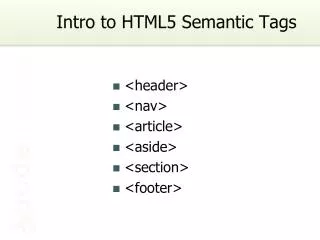
New tags and types • The "semantic web" • <header> and <footer> • <section> and <article> • New <input> types • email, url, number, date, ... • Form validation
Canvas • Draw complex graphics • Could replace Flash • Strong support from Apple and Google • Not so muchfrom Adobe Onslaught
Media • <audio> tag • Chrome has embedded mp3 player • <video> tag • Native video support(no plugins)
Geolocation • Tells a web app where you're at • Javascript API • navigator.geolocation.getCurrentPosition() • Wide support (no IE)
Drag and Drop • Gmail and YouTube support dragging from OS in Chrome!(using File API?) • Inter-page well supported in most browsers
Offline and Local Storage • Offline • Entire site or subset of files • Local Storage • Similar to cookies • name/value pairs • Immediate (js API)
...And related technologies • CSS3 • Rounded corners! • Drop shadows! • Javascript • Speed • Libraries
Crazy Techie Stuff • Web Workers • Do stuff in the background • Messages • Send info between tabs • Web SQL Database • Structured local storage
Why HTML5? • "NLA" • Native-like Application • Great Example: • mail.google.com on iPad • Looks native and runs offline