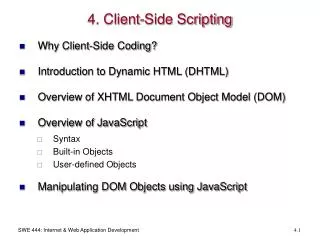
Client-Side Scripting
Dive into the fundamentals of JavaScript, the lightweight, interpreted programming language essential for web development. Learn how it integrates with HTML to enhance web page designs, validate forms, detect browsers, and create cookies. This guide covers JavaScript syntax, including its incorporation in the `` and `` sections of HTML, as well as linking to external scripts. Explore vital concepts such as alert, confirm, and prompt boxes, event handlers, variables, decisions, loops, and functions, equipping you with the skills to enhance interactivity on web pages.

Client-Side Scripting
E N D
Presentation Transcript
Client-Side Scripting JavaScript
JavaScript • produced by Netscape for use within HTML Web pages. • built into all the major modern browsers. properties • lightweight, interpreted programming language • Integrated with HTML • Cross-platform
Usage • To improve the design • To validate forms • Detect browsers • Create cookies
Syntax <script language = “javascript” type = “text/javascript”> /* Scripts will be written here </script>
In the <head></head> Syntax: <html> <head><title> JS in head</title> <script language = “javascipt” type = “text/javascript”> </script> </head> <body> <p> body goes here </p> </body> </html>
In the <body></body> Syntax: <html> <head><title> JS in body</title></head> <body> <script language = “javascript” type = “text/javascript”> // scripts here </script> </body> </html>
Along with html elements • Syntax: <html> <head><title>JS along html element </title><head> <body> <button onclick = “JavaScript:alert(‘button’)”> Button Clicked </button> </body> </html>
Linking to external JS Syntax: <html> <head><title>External JS Demo</title> <script language = “JavaScript ” src = “demo.js”> </script> </head> <body> </body> </html>
JavaScript cont.. • Alerting a user • Confirming user’s choice • Prompting a users
Alert • Used to interact with a user by popping up an alert box. • It has an “OK” button by default. • The user should click on the ok button or close the alert box before proceeding.
How alerts work <html> <head><title>Alert box</title> <script language=“JavaScript” type=“text/javascript”> alert(‘Please click ok to continue’); </script> </head>
Confirm Box • To get information back from the user. • Has got “yes” and “no” options.
How confirmation works <html> <head><title>Confirmation Box</title> <script language=“javascript” type=“text/javascript”> confirm(‘can I close this window?’); </script> </head>
Prompt Box • To accept an input from a user. • Has “ok” and “cancel” buttons
How prompt works <html> <head><title>Prompt Box</title> <script language=“javascript” type=“text/javascript”> prompt(‘what is your name:’ , ’enter your name’); </script> </head>
JavaScript cont… • Declaring and using variables • Decisions, loops and functions • Events • Page redirection • Form validation
variables • Can hold any type of data • You can start by storing text and then change to storing numbers without JavaScript having any problems.
How variables work Syntax • Using the keyword var var x; x = 10; alert(x);
Decisions • if • if … else • if … else if … else • switch
if Syntax if (condition) { //executable code; }
if … else Syntax if (condition) { //something here } else { //some other thing }
if … else if … else Syntax if (condition) { //something here } else if (condition) { //some other thing } else { //if both the conditions above are not true execute this }
How they works var x = 5; if (x == 2) { alert(x); } else if(x >5) { alert(‘its five’); } else if(x == 5) { document.write(‘the value of x is: ’ + x); } else { document.write(“no value found”); }
switch Has four (4) statements • Test statement • Case statement • Break statement • Default statement
Switch cont… Syntax switch(test) { case ‘1’: //some code here; break; case ‘2’: // some code here; break; default: //default code }
How switch works var x = “honey”; switch(x) { case “boy”: alert(x); break; case “honey”: alert(“hello ” + x); break; default: alert(“you are not ” + x); }
Loops • Used to iterate while a condition is true • If number of iteration is known use for loop • Otherwise use while loop • To run the code at least one use do…while loop
Loops cont… Loops • for loop • while loop • do … while loop
for loop for ( n= 1; n<= 3; n++) { document.write(n + “<br>”); }
while loop vardegCent= 10; while ( degCent != 100) { document.write(degCent+ “<br>”); degCent+= 10; }
do…while loop • execute at least once, regardless of whether the condition in the while statement evaluates to true. varuserAge; do { userAge= prompt(“Please enter your age: ”,””) } while (isNaN(userAge) == true);
functions • Something that performs a particular task • invoked by: • Event handlers • By statements elsewhere in the script. • Designed for reuse.
functions cont… Syntax: function functionName[arg1,arg2…] { statement[s]; } Remember: function is a keyword and arguments are optional.
How it works <html> <head><title>How to create a function in JavaScript</title> <script language=”javascript” type=”text/javascript”> function displayName(x) { x = prompt(“What is your name please?”,”Enter your name”); alert(“Hello” + x); } </script> </head> <body> <script language=”javascript” type=”text/javascript”> displayName(x); </script> </body> </html>
Events • Used to interact with users • onclick • onmouseover • onmouseout • onLoad • onUnload
How onclick works <body> <script language=”javascript” type=”text/javascript”> function showDate() { document.write(Date()); } </script> <button onclick=”showDate()”>Show Date</button> </body>
How onmouseover works <body> <script language=”javascript” type=”text/javascript”> function displayAlert() { alert(“Your mouse is on the paragraph”); } </script> <p onmouseover=”displayAlert()”>hover your pointer </p> </body>
How onmouseout works <body> <script language=”javascript” type=”text/javascript”> function displayAlert() { alert(“please put your mouse over the paragraph”); } </script> <p onmouseout=”displayAlert()”>hover your pointer </p> </body>
onLoad and onUnload <body onLoad="alert('Hello')" onUnload="alert('Goodbye')">
Page redirection • When you click a URL to reach to a page X but internally you are directed to another page Y that simply happens because of page re-direction. • Why? • Changing your domain name • Search engine already indexed your domain name • Load a specific webpage for a specific browser version
Page redirection cont… • To redirect your site visitors to a new page, you just need to add a line in your head section as follows: <head> <script type="text/javascript"> window.location="http://newlocation"; </script> </head>
Form validation • Used to occur at the server, after the client had entered all necessary data and then pressed the Submit button. • Was lengthy process and over burdening server. • Basic validation • Data format validation
Basic Validation • Make sure data was entered into each form field that required it.
Data format validation • The data that is entered must be checked for correct form and value
Document Object Model in JavaScript