Download
1 / 20
200 likes | 324 Vues
This presentation by Paul Turner provides an in-depth overview of W3C (World Wide Web Consortium) standards and their significance for ASP.NET developers. It explores the implications of W3C compliance for HTML, XHTML, CSS, and accessibility, highlighting the need for consistency and interoperability across browsers. The session covers considerations for ASP.NET versions 1.1 and 2.0, detailing the challenges and tools necessary for achieving compliance. Participants will gain insights into validation tools and best practices to enhance web accessibility and overall user experience.

E N D
ASP.NET and W3C Compliance Presented by Paul Turner paul.turner@kaz-group.com
Overview • What is W3C? • How does it effect developers? • ASP.NET (1.1) compliance • ASP.NET (2.0) compliance
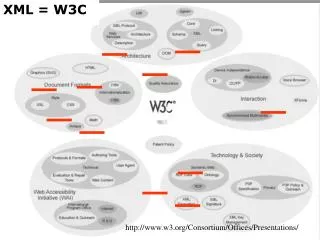
What is the W3C? • World Wide Web Consortium (W3C) • Standards organisation • Over 350 Members • BEA, Microsoft, SUN, AT&T, AOL, CERN, Cisco, CSIRO, EDS, Fijitsu, Google, HP, IBM, Intel, Oracle, Sony… “W3C Members take a leadership role in the future of the Web, promote their image as an innovator participating in a standards body international in mission and impact, and gain early insight into market trends (thus reducing the risk of missing them)”
What is the W3C? • The W3C has ‘shaped’ the core web technologies • Provide implementations • Jigsaw (Web Server) • Libwww (Web Server Library) • HTML Tidy (HTML compliance tool) • Amaya (Web Browser)
So what? • Ensures that basic ‘rules’ are followed • Compatibility • ‘Rendering’ of HTML and CSS in a consistent manner on all platforms • Interoperability • SOAP, XML and Web Services… • NOT related to implementations • IE, Firefox, Mozilla etc…
How does it effect developers? • HTML compliance • HTML • XHMTL • Accessibility compliance • Priority 1 • Priority 2 • Priority 3 • CSS compliance • More… XML, XPath, SOAP, URI, HTTP…
HTML Compliance • Sets the standards for HTML • Ensures that software* interprets HTML correctly • Strongly related to the HTTP standard (the transport) • Provides online validators * Web browsers are just one type
Demo • HTML Validator • http://validator.w3.org/
Accessibility Compliance • Web Accessibility Initiative (WAI) • About providing access to the internet to disabled people • Provides standards for an electronic interpretation of a page • Screen readers for the blind • A, AA and AAA priority requirement • Also means you tend to have really good HTML…
Demo • WCAG validator • http://webxact.watchfire.com/
CSS Compliance • Ensures that common styles are applied • Keeps a consistent look between browsers • Provides online validators
Demo • CSS Validator • http://jigsaw.w3.org/css-validator/
ASP.NET (1.1) Compliance • Hard work • Don’t take on the task lightly! • Some built in controls don’t generate ‘Well Formed’ HTML <B>Hello <I>World</B>No end tag… <B>Hello <I>World</B></I> Overlapping tags… <TABLE ID=“Table1”>…</TABLE> . <TABLE ID=“Table1”>…</TABLE> Reused ID’s
Demo • Tag reuse
ASP.NET (1.1) Compliance • IDE Settings • HTML Editor • Formatting of attributes
Demo • Editor Settings • Schema Settings
ASP.NET (2.0) Compliance • ‘Check Page for Accessibility’ • HTML validation options • XHTML • HTML 4.01 • IE, Netscape etc… • Server controls versus HTML controls
Demo • Visual Studio 2005
Summary • WC3 – http://www.w3.org • HTML – http://validator.w3.org/ • WCAG – http://webxact.watchfire.com/ • CSS – http://jigsaw.w3.org/css-validator/ • Visual Studio Editor Settings • Visual Studio 2005