Beginner Programming Workshop
Join us for a Beginner Programming Workshop designed for aspiring engineers and students interested in learning about robotics programming. Hosted by Simona Doboli, Associate Professor at Hofstra University, and Mark McLeod from Northrop Grumman, this event will cover key topics such as the FIRST control system, MPLAB environment, and C programming basics. Participate in hands-on demonstrations of robot controls, including autonomous programming and operator interfaces. Ideal for newcomers to programming and robotics.

Beginner Programming Workshop
E N D
Presentation Transcript
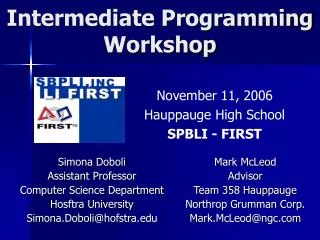
Beginner Programming Workshop November 17th, 2007 Hauppauge High School SPBLI - FIRST Simona Doboli Associate Professor Computer Science Department Hosftra University Email: Simona.Doboli@hofstra.edu Mark McLeod Advisor Hauppauge Team 358 Northrop Grumman Corp. Mark.McLeod@ngc.com
Agenda • FIRST Control System • MPLAB Environment • C Basics • FRC Default Code • Robot Driver Control • Demonstration of Basic OI Controls • Robot Autonomous Control • Demonstration of Dead Reckoning • Wrap-up • Playtime
FIRST Control Elements • Hardware • Robot Controller (RC) • User Processor vs. Master Processor • PWM, Relay, Digital I/O, Analog, Misc. • Operator Interface (OI) • Tether cable / Programming cable • Laptop • Programming • C Language • MPLAB/mcc18 (write & compile your program) • IFI_Loader (download to robot controller) • Dashboard (optional) • FIRST Default Code
FIRST Control System solenoid motor
Architecture • User Processor • What we download to • Runs our code • Reads the digital/analog I/O directly • Master Processor • Controls Disable/Autonomous/Driver modes • Disables OI inputs & most RC outputs • Must hear from User periodically or shuts it down • Software is updated each year
Robot Controller I/O Motors Analog Gyroscope Servo Team LEDs Analog Rangefinder Potentiometer Banner Sensor Touch Sensor Pressure Sensor Switch Digital Encoder Relays TTL Solenoid Compressor Limit Switch Camera
Getting Started • Create/Open an MPLAB Project • Edit a File • Build/Compile • Download
MPLAB IFI_Loader .hex file Robot Controller Dashboard (optional) Operator Interface
C Basics • Structure (#include, functions) • IF, THEN, ELSE • WHILE • FOR • =, ! • >=, <=, ==, >, <, != • &&, || • Operators • Prototype declarations
C Basics – Structure Program #include <stdio.h> // C header file – standard library function // prototypes #include “myHeader.h” // User header file – user function prototypes int globalVar = 10; // definition global variable – can be used anywhere // in this file void main(void) { // What your program does int result; // local variable – can be used only in main() function result = max(1, 10); // call function max: 1, 10 – actual parameters } int max(int i, int j) // int i, int j = formal parameters { // a function definition }
C Basics – A simple program #include <stdio.h> #pragma config WDT = OFF int max(int i, int j); // function declaration void main(void) { int m, n, bigger; m = 10; n = 20; bigger = max(m,n); printf("m= %d, n = %d, bigger = %d”, m, n, bigger); while(1); } //############### // Function definition //############### int max(int i, int j) { int result; if (j > i) result = i; else result = j; return result; }
C Basics – if statement if (touch == 1 && light != 0 ) goStraight = 1; else goStraight = -1; !!! NOTE: if (touch =1) vs. if (touch == 1) ASSIGNMENT CONDITION AND Logic OR Logic (||)
C Basics – while loop while (touch == 0) { leftMotor = 5; rightMotor = 5; read(touch); // need to change touch inside // the loop } // use { } if more than one statement in a loop
C Basics - Exercise Write a program that computes the first n numbers in the Fibonnacci series: 0, 1, 1, 2, 3, 5, 8, 13. n is an integer number between 0 and 30.
C Basics - Algorithm int first = 0, second = 1, third; while (n > 0){ third = first + second; output third first = second; second = third; n --; }
Competition Modes • Three Competition Modes • Disabled • Receive all inputs • No outputs get out • Autonomous • Receive RC inputs • Do not receive OI inputs • Outputs all working • Driver • Receive all inputs • Outputs working
FRC Default Code Flow User Initialization • Main() • User_Initialization() • Do as long as we’re on • New radio packet (slow loop) • Process_Data_From_Master_uP() • Default_Routine() • As long as we’re in auto mode do this • User_Autonomous_Code() • Fast loop stuff Radio packet ? NO YES Driver Routine Auto Mode ? NO YES User Autonomous
Miscellaneous Points • Slow loop vs. Fast loop • Slow loop • Can be used for rough timing • Can’t update motors etc. any faster than this • Fast loop • Irregular duration so can’t be used for timing • Used for sampling fast sensors, e.g., gyroscope • Getdata() - Putdata() • If Master processor doesn’t see Putdata regularly it will shutdown the User processor. • Finding Bugs • IFI_Loader terminal window • printf() - #include <stdio.h> • Does not print long or float directly
FRC Default Code • Files to change • user_routines.c (to add switches & change controls) • Default_Routine() • User_Initialization() • user_routines_fast.c • User_Autonomous() (to add autonomous movement) • user_routines.h (to share variables between files)
Input / Output • OI • Joysticks • Stick x & y • Buttons • Unused inputs • Switches • LEDs – lights or digital readout • RC • Digital I/O for sensors and devices (0 or 1) • Analog for sensors, e.g., potentiometers (0 to 1023) • Relay for on/off, e.g., pneumatics (forward, reverse, stop) • PWM for motors (0=reverse, 127=stop, 254=forward) • Don’t use PWMs 13,14,15,16 • TTL for devices, e.g., camera or LCD screen
Robot Driver Control • What do OI joysticks do: • 1 or 2 joystick driving • Operate arm • Add OI buttons/switches: • Open/close grippers • Choose autonomous variations • Add RC switches/sensors • Choose autonomous variations • Limit mechanism movement, e.g. an arm • Add/modify code in Default_Routine() in user_routines.c
// 2-Joystick drive pwm01 = p1_y; pwm02 = 255-p2_y; // motor controlled by switch pwm03 = 127; if (p1_sw_trig == 1) { pwm03 = 254; } // arm joystick pwm03 = p3_y; // 1-Joystick drive pwm01 = Limit_Mix(p1_y + p1_x - 127); pwm02 = Limit_Mix(p1_y - p1_x + 127); // Limit_Mix keeps pwm between 0 & 254 Sample OI Controls (note: OI switches =0 when off and =1 when on) • Sample uses: • Drive • Control arm • Control turret
Sample OI Input/Output • Changing the OI LED/digital display // LED display on the OI if (user_display_mode == 0) // OI lights are in use (select switch on OI) { Pwm1_green = 1; Pwm1_red = 1; } else // OI digital display is in use { User_Mode_byte = 123; } • Sample uses: • Trim joysticks • Display auto selected • Display backup battery voltage
// Autonomous selection if (rc_dig_in01 == 1) { Autonomous_1(); } else { Autonomous_2(); } // Limit Switch on arm pwm03 = p3_y; if ((rc_dig_in01 == 1) && (pwm03 > 127)) { pwm03 = 127; } Sample Digital Code • Switches on the Robot Controller (RC Digital Inputs) (note: RC switches =1 when off and =0 when on) • Sample uses: • Limit switches • Autonomous selection • Field starting position • Pressure sensor
Sample Analog Code • Analog Inputs on the RC (e.g., a potentiometer) // Use of arm position sensor (potentiometer) to limit arm movement int armpot; pwm01 = p3_y; armpot = Get_Analog_Value(rc_ana_in03); // value will be 0-1023 if ( (armpot > 900) && (pwm01 > 127) ) { pwm01 = 127; // Neutral } else if (armpot < 100) && (pwm01 < 127) ) { pwm01 = 127; // Neutral } • Sample uses: • Position sensors • Gyroscope • Analog rangefinder
// Single pneumatic solenoid (valve) relay8_fwd = p1_sw_trig; relay8_rev = 0; // Double pneumatic solenoid (valve) relay8_fwd = p1_sw_trig; relay8_rev = !p1_sw_trig; // Turn on Compressor when Pressure Switch on digital input 18 says so relay8_fwd = !rc_dig_in18; relay8_rev = 0; Sample Relay Code • Forward / Reverse / Neutral relay8_fwd = 1; relay8_rev = 0; relay8_fwd = 0; relay8_rev = 1; relay8_fwd = 0; relay8_rev = 0; • Sample uses: • Pneumatic valves • Compressor on/off • On/off motors
Robot Autonomous Control • Must be developed under identical environment as in competition • Training the robot must be repeated over & over to get right • Do the best you can developing on old robots • Plan on multiple autonomous options • Use as few distinct movements as possible • Add code to User_Autonomous() in user_routines_fast.c
Sample Autonomous // Drive forward and stop Sample_Auto_1() { static int counter=0; if (counter<100) { counter++; pwm01 = 200; pwm02 = 54; //motor is reversed } else // Make sure it always stops { pwm01 = 127; pwm02 = 127; } } May need function prototype: void Sample_Auto_1(void);
Common Issues • Syntax and typos • Program & Data Space • Code Too Slow trying to do too much • Joystick trim • Embedded math (variable overflow) • Infinite or too large loops • Variables keep values until you change them • Unfortunately, it does exactly what you tell it to do
Wrap Up • Projects for Next Time • References • FIRST control System • C • Playtime
Projects • Autonomous program to: • Drive 2 ft. • Turn 180o • Return to start • Add a start delay so you have time to set the robot down • Convert to use seconds • Driver controls to: • Add a spin in place button • Reverse the controls so the robot front is now the back • Add Debug printfs to tell you when you press a button
References • Programming Quick Start • FIRST RC Reference Guide • FIRST OI Reference Guide • www.chiefdelphi.com/forums Programming forum
Reference Books • C For Dummies, Volume One • C For Dummies, Volume Two • C Programming - A Modern Approach - K N King • “The C Programming Language” -Kernighan & Ritchie • “The C Answer Book” - Kernighan & Ritchie
Presentation slides at: www.cs.hofstra.edu/~sdoboli or Team358.org • Questions/Help please email us. Simona.Doboli@hofstra.edu Mark.McLeod@ngc.com