Download
1 / 19
190 likes | 319 Vues
Arrays are fundamental data structures in programming that serve as a contiguous collection of cells, each containing the same type of item. This guide covers the basics of arrays, including creation, size specification, and accessing elements using indices. It explains how to initialize arrays, manipulate their contents, and provides examples of array operations such as summation and searching. Understanding arrays is crucial for effective programming and data handling, and this guide serves as a solid foundation for both beginners and experienced programmers.

E N D
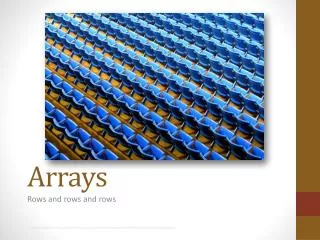
Arrays Rows and rows and rows Image courtesy of http://www.flickr.com/photos/andrewmorrell/54069752/sizes/z/in/photostream/
Arrays • A contiguous collection of cells • Cells are also known as: elements, items, entries, slots • Each cell contains the same “type” of item • The number of cells in an array will never change! • Cells are given names (in a sense) • Indices (subscripts) beginning at 0 A cell can be thought of as a box that contains data of some kind. An array is a bunch of boxes
Arrays • When using arrays • First: create the array itself. Must specify size! • Second: place data into each box • Third: relax • Syntax for declaring an array variable • ClassName [] variableName; • Syntax for creating an array • new ClassName [ ArraySize ]
Arrays • Syntax for accessing an element of the array (opening a box and holding the contents) • arrayVariable[ index ] • The index must be between 0 and the length of the array – 1. • Syntax for replacing an element of the array (opening a box and replacing the contents) • arrayVariable[ index ] = someExpression ; • The index must be between 0 and the length of the array -1 • Type conformance rules are still followed • Syntax for finding the length of an array • arrayVariable.length
Array Example int[] numbers; int number; numbers = new int[3]; numbers[0] = 1; numbers[1] = -1; numbers[2] = numbers[0]+numbers[1]; numbers[numbers[2]] = numbers[1]; number = numbers[1]; numbers
Array Example int[] numbers; int number; numbers = new int[3]; numbers[0] = 1; numbers[1] = 3; numbers[2] = numbers[1]-numbers[0]; numbers[numbers[2]] = numbers[1]; number = numbers[1]; numbers
Array Example int[] numbers; int number; numbers = new int[3]; numbers[0] = 1; numbers[1] = 3; numbers[2] = numbers[1]-numbers[0]; numbers[numbers[2]] = numbers[1]; number = numbers[1]; numbers
Array Example int[] numbers; int number; numbers = new int[3]; numbers[0] = 1; numbers[1] = 3; numbers[2] = numbers[1]-numbers[0]; numbers[numbers[2]] = numbers[1]; number = numbers[1]; numbers
Array Example int[] numbers; int number; numbers = new int[3]; numbers[0] = 1; numbers[1] = 3; numbers[2] = numbers[1]-numbers[0]; numbers[numbers[2]] = numbers[1]; number = numbers[1]; numbers
Array Example int[] numbers; int number; numbers = new int[3]; numbers[0] = 1; numbers[1] = 3; numbers[2] = numbers[1]-numbers[0]; numbers[numbers[2]] = numbers[1]; number = numbers[1]; numbers
Array Examples Rectangle[] rects = new Rectangle[4]; rects[0] = new Rectangle(10, 20, 30, 40); rects[1] = new Rectangle(0, 0, 100, 100); rects[2] = rects[1]; Rectangle oneRect = new Rectangle(10, 10, 10, 10); rects[3] = oneRect; oneRect = rects[0]; char[] bunchOfChars = new char[20]; bunchOfChars[0] = ‘A’; bunchOfChars[bunchOfChars.length-1] = ‘?’;
Arrays • Can be passed to functions and returned from functions • Problem: write a method that takes an array of Rectangle objects and sets all of their colors to red private void colorAllRed( Rectangle[] rects ) { for(inti=0; i<rects.length; i++) { rects[i].setBackground( Color.red ); } } Rectangle[] someRects; someRects = new Rectangle[3]; someRects[0] = new Rectangle(0,0,5,5); someRects[1] = new Rectangle(6,6,8,8); someRects[2] = new Rectangle(10,10,10,10); colorAllRed( someRects );
Initializing arrays • Arrays can be filled with data when declared int[] arr = {10, 100, 1000}; Oval[] circles = { new Oval(1,1,1,1), new Oval(2,2,2,2) }; int[] arr = new int[3]; arr[0] = 10; arr[1] = 100; arr[2] = 1000; Oval[] circles = new Oval[2]; circle[0] = new Oval(1,1,1,1); circle[1] = new Oval(2,2,2,2);
Examples • Write a program to sum the elements in an array of doubles. public double sum(double[] values) { double result = 0; for(int i=0; i<values.length; i++) { result += values[i]; } return result; }
Examples • Write a function that accepts an array of doubles named A and a double named V. The function returns the index of the first occurrence of V in A or -1 if X is not in A. public int indexOf(double[] a, double v) { for(int i=0; i<a.length; i++) { if(v == a[i]) return i; } return -1; }
Examples • Write a function that accepts an array of doubles named A and a double named V. The function returns an array of all elements of A that are greater than V. public double[] greaterThan(double[] a, double v) { int count=0; for(int i=0; i<a.length; i++) { if(a[i] > v) count++; } double result = new double[count]; int resultIndex = 0; for(int i=0; i<a.length; i++) { if(a[i] > v) result[resultIndex++] = a[i]; } return result; }
Examples • Write a function that accepts an array of ints and “shuffles” them into a random order. • Do the following 2*n times, where n is the number of elements in the array • select to random indices into the array and swap the elements in the array • public void shuffle(int[] values) { • for(int i=0; i<values.length*2; i++) { • int ranIndex1 = (int)(Math.random()*values.length); • int ranIndex2 = (int)(Math.random()*values.length); • int tmp = values[ranIndex1]; • values[randIndex1] = values[ranIndex2]; • values[randIndex2] = tmp; • } • } int[] data = {1,2,3,4,5}; shuffle(data);
Examples • Write a function that accepts an array of ints and returns the smallest index of the smallest value • /* @pre = values.length >= 1 */ • public int findMin(int[] values) { • int minIndex = 0; • for(int i=1; i<values.length; i++) { • if(values[i] < values[minIndex]) minIndex = i; • } • return minIndex; • }
Tic Tac Toe • Write a TicTacToeModel using arrays!