
Uploaded by
hanae-william
2 SLIDES
139 VUES
20LIKES
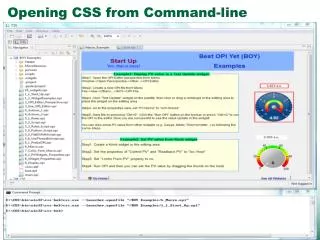
Opening Files in Eclipse from the Command Line: A Step-by-Step Guide
DESCRIPTION
This guide explains how to open files in the Eclipse IDE directly from the command line. It covers the necessary command syntax, tips for integrating Eclipse with your workflow, and common troubleshooting steps. Ideal for developers who want to streamline their development process and improve productivity by quickly accessing projects and files within Eclipse. Whether you're a newcomer or an experienced user, this resource will enhance your Eclipse experience.
Download
1 / 2
Download Presentation

Télécharger la présentation
Opening Files in Eclipse from the Command Line: A Step-by-Step Guide
An Image/Link below is provided (as is) to download presentation
Download Policy: Content on the Website is provided to you AS IS for your information and personal use and may not be sold / licensed / shared on other websites without getting consent from its author.
Content is provided to you AS IS for your information and personal use only.
Download presentation by click this link.
While downloading, if for some reason you are not able to download a presentation, the publisher may have deleted the file from their server.
During download, if you can't get a presentation, the file might be deleted by the publisher.
E N D
Presentation Transcript
Details http://aniefer.blogspot.com/2010/05/opening-files-in-eclipse-from-command.html http://cs-studio.sourceforge.net/docbook/ • Part 2, Opening Files from Command-Line


More Related

Audio
Live Player