
Effective Presentation Design: Tips for Engaging Audiences
Discover essential techniques for creating impactful presentations that captivate your audience. Learn how to use font styles and sizes to enhance readability, incorporate background colors or gradients for visual appeal, and strategically insert sections to highlight key information. Optimize alignment and consider using blank slides to separate new ideas while maintaining a coherent flow. Find out the best practices for using bullet points or numbered lists to organize content clearly. Elevate your presentation skills and leave a lasting impression!

Effective Presentation Design: Tips for Engaging Audiences
E N D
Presentation Transcript
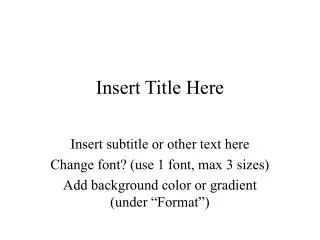
Insert Title Here Insert subtitle or other text here Change font? (use 1 font, max 3 sizes) Add background color or gradient (under “Format”)
Insert Section Focus Here Insert information here Check alignment (left or center) Use blank slides in between new ideas? Use or delete bullets or numbered lists Point a Point b
Insert Section Focus Here Insert information here Check alignment (left or center) Use blank slides in between new ideas? Use or delete bullets or numbered lists Point a Point b
Insert Section Focus Here Insert information here Check alignment (left or center) Use blank slides in between new ideas? Use or delete bullets or numbered lists Point a Point b
Insert Section Focus Here Insert information here Check alignment (left or center) Use blank slides in between new ideas? Use or delete bullets or numbered lists Point a Point b
Insert Section Focus Here Insert information here Check alignment (left or center) Use blank slides in between new ideas? Use or delete bullets or numbered lists Point a Point b
Insert Section Focus Here Insert information here Check alignment (left or center) Use blank slides in between new ideas? Use or delete bullets or numbered lists Point a Point b
Insert Section Focus Here Insert information here Check alignment (left or center) Use blank slides in between new ideas? Use or delete bullets or numbered lists Point a Point b
Insert Section Focus Here Insert information here Check alignment (left or center) Use blank slides in between new ideas? Use or delete bullets or numbered lists Point a Point b
Insert Section Focus Here Insert information here Check alignment (left or center) Use blank slides in between new ideas? Use or delete bullets or numbered lists Point a Point b













![[Insert Title Here]](https://cdn3.slideserve.com/6543966/insert-title-here-dt.jpg)
![[Insert Title Here]](https://cdn3.slideserve.com/6833485/insert-title-here-dt.jpg)
![[ Insert Title Here ]](https://cdn4.slideserve.com/8936996/insert-title-here-dt.jpg)