Introduction to AJAX with XMLHttpRequest for Asynchronous Web Applications
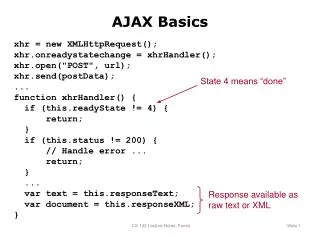
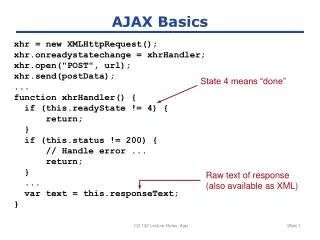
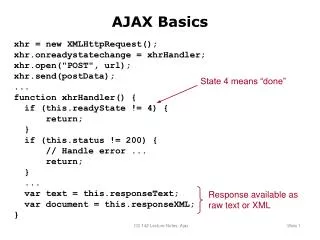
This guide covers the basics of AJAX using the `XMLHttpRequest` object, focusing on how to initiate a POST request and handle responses effectively. We will explore the `onreadystatechange` event to manage the request's state and response. The section includes practical examples illustrating how to set up AJAX calls, handle errors, and process both text and XML responses. Additionally, we’ll look into higher-level AJAX interactions, particularly with JSON data, and how to dynamically update web elements upon user input.

Introduction to AJAX with XMLHttpRequest for Asynchronous Web Applications
E N D
Presentation Transcript
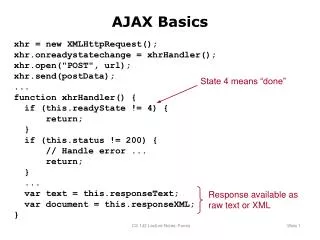
AJAX Basics xhr = new XMLHttpRequest(); xhr.onreadystatechange = xhrHandler(); xhr.open("POST", url); xhr.send(postData); ... function xhrHandler() { if (this.readyState != 4) { return; } if (this.status != 200) { // Handle error ... return; } ... var text = this.responseText; var document = this.responseXML; } State 4 means “done” Response available as raw text or XML CS 142 Lecture Notes: Forms
Higher-Level AJAX Example Watch this element for change <%= observe_field( "userName", :frequency => 0.25, :update => "completionMenu", :url => {:action => "nameChoices"} ) %> Issue AJAX request here Replace this element’s innerHTML with response CS 142 Lecture Notes: Forms
JSON Example {name: "Alice", gpa: 3.5, friends: ["Bill", "Carol", "David"]} CS 142 Lecture Notes: Forms