Understanding WSDL: The Backbone of Web Service Communication
This tutorial offers a comprehensive overview of WSDL (Web Services Description Language), a standard for describing web services. It outlines the abstract interface for defining operations and their messages, detailings messages that can contain document-oriented or procedure-oriented information. WSDL facilitates service discovery, client code generation, and dynamic binding via standardized service interface descriptions. It supports extensibility with elements that can define SOAP, HTTP, and MIME bindings, all written in XML to leverage XML schema for robust service definitions.


Understanding WSDL: The Backbone of Web Service Communication
E N D
Presentation Transcript
WSDL Tutorial Heather Kreger (borrowed from Peter Brittenham) Web Services Architect IBM Emerging Technologies
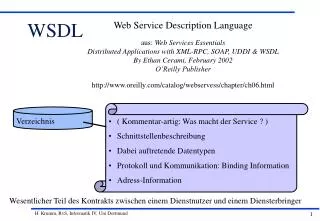
WSDL: Web Service Description Language • Standard for describing Web services • Abstract interface for defining operations and their messages • Messages contain either document-oriented or procedure-oriented information • Bindings to message formats and protocols • Defines how to locate the endpoint for the service • Example: URLs for HTTP • Extensible (SOAP and HTTP extensions are defined) • Written in XML, leverages XML schema • WSDL V1.1 Specification • http://www.w3.org/TR/wsdl
Usage Scenarios • As IDL (Interface Definition Language) • Allows tools to generate client access code for a service • Examples: IBM WebSphere Studio Application Developer, IBM Web Services Toolkit • Standardized service interface descriptions • Allows advertisement and dynamic discovery of services • Enables dynamic binding to service • Complements UDDI registry
Document Content • Abstract Definitions • <types> data type definitions • <message> operation parameters • <portType> operation definitions • Concrete Definitions • <binding> operation bindings • <service> location/address for each binding • Also: • <import> used to reference other XML documents
WSDL Extensibility Elements • Extensibility elements can be specified within these WSDL elements: • <types> • <port> • <binding> • <binding>/<operation> • <binding>/<operation>/<input> • <binding>/<operation>/<output> • <binding>/<operation>/<fault> • Binding extensibility defined in the specification for: • SOAP • HTTP • MIME
Document Structure <binding> [SOAP] <portType> <operation> <operation> <operation> <message> [Request] <types> [data] <service> <port> <port> <port> <message> [Response] <binding> [EJB] <binding> […] Java class method method method SOAP Request/ response Supported Protocol(s) Service(s)
SOAP Binding - RPC Style • Indicates that the Web service is accessed using SOAP V1.1 protocol • Use style="rpc" attribute on SOAP binding element • Example SOAP service method signature: • public float getQuote (String symbol)
Example: Stock Quote Service [1] <definitions name="StockQuoteService" targetNamespace="http://tempuri.org/StockQuoteService“ xmlns:tns="http://tempuri.org/StockQuoteService" …> <message name="SymbolRequest"> <partname="symbol" type="xsd:string" /> </message> <message name="QuoteResponse"> <partname="quote" type="xsd:float" /> </message> <portType name="StockQuoteService"> <operation name="getQuote"> <inputmessage="tns:SymbolRequest" /> <outputmessage="tns:QuoteResponse" /> </operation> </portType> ... public float getQuote (String symbol) public float getQuote (String symbol) public float getQuote (String symbol)
Example: Stock Quote Service [2] ... <binding name="SoapBinding" type="tns:StockQuoteService"> <soap:binding style="rpc" transport="http://schemas.xmlsoap.org/soap/http" /> <operation name="getQuote"> <soap:operation soapAction="http://tempuri.org/GetQuote" /> <input> <soap:body use="encoded" namespace="http://tempuri.org/live-stock-quotes" encodingStyle="http://schemas.xmlsoap.org/soap/encoding/"/> </input> <output> <soap:body use="encoded" namespace="…" encodingStyle="…"/> </output> </operation> </binding> ...
Example: Stock Quote Service [3] … <service name="StockQuoteService"> <documentation>Stock Quote Service</documentation>- <port name="Demo“ binding=“tns:SoapBinding"> <soap:address location="http://tempuri.org/services/StockQuoteService" /> </port> </service> </definitions>
Message • Defines the messages that are referenced in the input, output, and fault elements within an operation • A message may have one or more parts • Each part contains a reference to a data type • element Reference to XML Schema element using a QName • type Reference to XML Schema simpleType or complexType <definitions .... > <message name="ncname"> * <part name="nmtoken" element="qname"? type="qname"?/> * </message> </definitions>
PortType • Contains one or more abstract operations • Each operation references one or more messages • Four operation types: • One-way Send message to service and there is no response • Request-response Send message to service which returns a correlated message • Solicit-response Service sends a message and requestor returns a correlated message • Notification Service sends a message to the requestor
PortType • One-way Operation • Request-response Operation <portType name="ncname"> * <operation name="nmtoken"> * <input name="nmtoken"? message="qname"/> </operation> </portType > <portType name="ncname"> * <operation name="nmtoken" parameterOrder="nmtokens"> * <input name="nmtoken"? message="qname"/> <output name="nmtoken"? message="qname"/> <fault name="nmtoken" message="qname"/>* </operation> </portType >
Binding • Each binding has an unique name • Referenced by a port element • Contains areference to one portType • Binding interpretedbased onext. elements <binding name="ncname" type="qname"> * <-- extensibility element (1) --> * <operation name="nmtoken"> * <-- extensibility element (2) --> * <input name="nmtoken"? > ? <-- extensibility element (3) --> </input> <output name="nmtoken"? > ? <-- extensibility element (4) --> * </output> <fault name="nmtoken"> * <-- extensibility element (5) --> * </fault> </operation> </binding>
Service • A WSDL document may contain one or more service elements • Each service element may contain one or more ports • A port is named, references one binding, and contains the endpoint for the Web service • Port names must be unique within a service element • Endpoint is specified using an extensibility element <definitions .... > <service name="ncname"> * <port name="nmtoken" binding="qname"> * <-- extensibility element (1) --> </port> </service> </definitions>
Complex Type Definitions • Complex data types • Defined within the <types> element or by referencing an external XML schema document • AddressBook Example: • public void addEntry(String name, Address address) <schema ...> <complexType name="AddressType"> <sequence> <element name="streetName" type="string" minOccurs="1"/> <element name="city" type="string" minOccurs="1"/> <element name="state" type="string" minOccurs="1"/> <element name="zip" type="string" minOccurs="1"/> <element name="phoneNumber" type="AddressBook:phoneNumberType"/> </sequence> </complexType> ... </schema>
AddressBook Service <definitions ...> <import location="http://localhost:8080/schema/AddressBook.xsd" namespace="http://tempuri.org/AddressBook”/> <message name="AddEntryRequest"> <part name="name" type="xsd:string"/> <part name="address" type="types:AddressType"/> </message> <portType name="AddressBookService"> <operation name="addEntry"> <input message="tns:AddEntryRequest"/> </operation> </portType <binding name="AddressBookBinding" type="tns:AddressBookService"> <soap:binding style="rpc" transport="http://.../soap/http"/> <operation name="addEntry"> <soap:operation soapAction="http://tempuri.org/addressbook"/> <input> <soap:body encodingStyle="..." namespace="..." use="..."/> </input> ...
SOAP Binding - Document Style • Similar to SOAP Binding with RPC Style • SOAP binding contains style=“document” attribute • This style can also be set on a SOAP body element which is specified with each operation element • Used with Web services that specify XML documents for message content • Example: UDDI Registry <?xml version="1.0"?> <SOAP-ENV:Envelope …> <SOAP-ENV:Body> <find_business generic="2.0" xmlns="urn:uddi-org:api_v2"> <name>Business Name</name> </find_business> </ SOAP-ENV:Body> </SOAP-ENV:Envelope>
WSDL for UDDI Registry [1] <?xml version="1.0" encoding="UTF-8" ?> <definitions targetNamespace="urn:uddi-org:inquiry" xmlns:uddi="urn:uddi-org:api_v2" xmlns:tns="urn:uddi-org:inquiry_v2" ...> <import namespace="urn:uddi-org:api" location="http://www.uddi.org/schema/uddi_v2.xsd" /> <message name="find_business"> <part name="body" element="uddi:find_business" /> </message> ... <portType name="InquireSoap"> <operation name="find_business"> <input message="tns:find_business" /> <output message="tns:businessList" /> <fault name="error" message="tns:dispositionReport" /> </operation> ...
WSDL for UDDI Registry [2] <binding name="InquireSoap" type="tns:InquireSoap"> <soap:binding style="document" transport="http://schemas.xmlsoap.org/soap/http" /> <operation name="find_business"> <soap:operation soapAction="" style="document" /> <input message="tns:find_business"> <soap:body use="literal" parts="body" namespace="urn:uddi-org:api_v2" /> </input> <output message="tns:businessDetail"> <soap:body use="literal" parts="body" namespace="urn:uddi-org:api_v2" /> </output> <fault name="error" message="tns:dispositionReport"> <soap:fault name="error" use="literal" /> </fault> </operation> ...
MIME Binding • Examples of supported MIME types: • multipart/related • text/xml • application/x-www-form-urlencoded • Input or output message can be defined using MIME binding • MIME binding can be combined with SOAP binding to define a service that uses SOAP attachments • Use multipart/related binding • SOAP envelope must be in the root part • Define other parts using MIME binding
Attachment Service Interface [1] <definitions name="AttachmentService-interface" ...> <types> <schema ...> <complexType name="ArrayOfString"> <complexContent> <restriction base="soapenc:Array"> <attribute ref="soapenc:arrayType“ arrayType="xsd:string[]"/> </restriction> </complexContent> </complexType> <complexTypename="ArrayOfBinary"> <complexContent> <restriction base="soapenc:Array"> <attribute ref="soapenc:arrayType" arrayType="xsd:binary[]"/> </restriction> </complexContent> </complexType> </schema> </types> ...
Attachment Service Interface [2] <message name="AttachmentRequest"> <part name="fileList" type="types:ArrayOfString"/> <part name="classFile" type="types:ArrayOfBinary"/> <part name="imageFile" type=”types:ArrayOfBinary"/> </message> <message name= ="AttachmentResponse"> <part name="list" type="xsd:string"/> </message> <portType name="AttachmentService"> <operation name="listAttachments"> <input message="tns:AttachmentRequest"/> <output message="tns:AttachmentResponse"/> </operation> </portType> <binding name="AttachmentBinding" type="tns:AttachmentService"> <soap:binding style="rpc" transport="http://.../soap/http"/> <operation name="listAttachments"> <soap:operation soapAction=""/> ...
Attachment Service Interface [3] <input> <mime:multipartRelated> <mime:part> <soap:body parts="fileList" use="encoded" namespace="http://tempuri.org/attachment-service" encodingStyle="http://schemas.xmlsoap.org/soap/encoding/"/> </mime:part> <mime:part> <mime:content part="classFile" type="application/octet-stream"/> </mime:part> <mime:part> <mime:content part="imageFile" type="image/jpeg"/> </mime:part> </mime:multipartRelated> </input> <output> <soap:body use="encoded“ namespace=“http://tempuri.org/attachment-service" encodingStyle="http://schemas.xmlsoap.org/soap/encoding/"/> </output>
WSDL4J • WSDL Java API • WSDL object model • Parse contents of a WSDL document • Programmatically create new WSDL documents • Open source project on IBM developerWorks site • http://oss.software.ibm.com/developerworks/projects/wsdl4j/ • Will be a reference implementation for JSR 110 • Primarily a set of Java interfaces that can be implemented by anyone • Java package name: javax.wsdl
WSDL4J Example - Find Port // Get WSDLReader WSDLReader wsdlReader = WSDLFactory.newInstance().newWSDLReader(); // Read WSDL service implementation document Definition wsdlDefinition = wsdlReader.readWSDL(null, wsdlURL); // Get the service elements Map services = definition.getServices(); // Get an iterator for the list of services Iterator serviceIterator = services.values().iterator(); boolean bPortFound = false; while ((serviceIterator.hasNext()) && !(bPortFound)) { // Get next service element Service service = (Service) serviceIterator.next(); // Determine if this service element contains the specified port if ((port = service.getPort(portName)) != null) bPortFound = true; }
WSDL Resources • WSDL V1.1 Specification • http://www.w3.org/TR/wsdl • W3C Web Services Description Working Group • http://www.w3c.org/2002/ws/desc/ • WSDL4J Open Source Project • http://oss.software.ibm.com/developerworks/projects/wsdl4j/ • Yahoo Group: wsdl • http://groups.yahoo.com/group/wsdl
An Overview of Web Services – Part 2 • Questions?