Building a WMS Crime Viewer with OpenLayers: Open Standards and Software Implementation
This document outlines the implementation of a Web Map Service (WMS) crime viewer using OpenLayers, focusing on open standards endorsed by the Open Geospatial Consortium (OGC). It covers the essential components of the WMS, including map server and client software, and provides practical guidance for setting up the viewer. Topics include the usage of various OGC standards (WMS, WFS, WCS), requests and responses for capabilities, and the steps necessary to incorporate OpenLayers into a web server. This resource serves as a comprehensive guide for GIS professionals and developers.

Building a WMS Crime Viewer with OpenLayers: Open Standards and Software Implementation
E N D
Presentation Transcript
Web Mapping withOpen Standards and Software Building a WMS Crime Viewer with OpenLayers January 8, 2009 Douglas Sheldon GIS Applications & Database Administrator Spotsylvania County, Virginia Advised by Ian Turton, PhD
Introduction • Open Standards and Software • Open Geospatial Consortium (OGC) Standards • Map Server Software • Map Client Software • Implementation
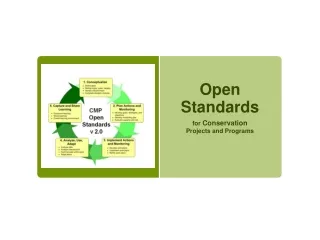
Open Standards • Open to all interested participants • Equal membership • Cooperation between members • Independent of proprietary solutions • Free distribution and implementation of specifications
Open Software • Includes source code • Permits modification • Free to redistribute
OGC Standards • Web Map Service (WMS) • Web Feature Service (WFS) • Web Coverage Service (WCS) • Geographic Markup Language (GML) • Styled Layer Descriptor (SLD)
OGC Standards: WMS • Requests • GetCapabilities • Returns capabilities as XML • GetMap • Returns map as an image • GetFeatureInfo (optional) • Returns attributes as XML • Versions • Version 1.1.1 or 1.3
OGC Standards: WMS • GetCapabilities Request http://arcims.spotsylvania.va.us/ ArcGIS/services/crime/MapServer/WMSServer? request=getcapabilities&version=1.1.1
OGC Standards: WMS • GetCapabilities Response
OGC: WMS GetMap • GetMap Request http://arcims.spotsylvania.va.us/ ArcGIS/services/crime/MapServer/WMSServer? request=getmap&version=1.1.1&layers=0,1& styles=&SRS=EPSG:4326&bbox=-77.9,38.0,-77.35,38.38& width=400&height=300&format=image/png
OGC Standards: WMS • GetMap Response
Map Server Software • Deegree • GeoServer • MapServer • ArcGIS Server
Map Client Software • Web Browser • Mozilla/FireFox • Internet Explorer • JavaScript Client Library • OpenLayers • MapBuilder
Implementation • Data (Shapefiles) • Map Server (ArcGIS Server 9.2) • Create Map Service (WMS) • Web Server (Apache, IIS) • Install Client Library (OpenLayers 2.7) • Build Web Map • HTML/JavaScript (OpenLayers API)
Test Web Map Service (WMS) • Find your WMS URL in your map server management tool • Try a WMS GetCapabilities request in a web browser • Proves the map service is running • Verifies the URL of your WMS For example: http://arcims.spotsylvania.va.us/ ArcGIS/services/crime/MapServer/WMSServer? request=getcapabilities&version=1.1.1
Install OpenLayers • Copy OpenLayers.js and the img and theme folders to a folder under the root directory of your web server
Test OpenLayers • Copy wms.html from the examples folder to the root directory of your web server • Change the text reading “../lib/OpenLayers.js” to the relative path to your OpenLayers.js file, for example:“openlayers/OpenLayers.js” • Change the text reading “http://labs.metacarta.com/wms/vmap0”to the URL of your WMS, for example:“http://arcims.spotsylvania.va.us/ArcGIS/services/MapServer/WMSServer” • Change the text reading “layers: ‘basic’” to the name of one of your WMS layers (“layers: ‘<your_layer_name>’”) • Open wms.html in a web browser to verify everything works
Build Web Map • Style and Label Layers • Crime Incidents • Roads • Subdivisions • County Boundary • Turn Map Layers On/Off • Map Navigation (Pan/Zoom) • Find/Query Roads and Subdivisions • Map Legend
Conclusion • Open Standards and Software • Open Geospatial Consortium (OGC) Standards • Map Server Software • Map Client Software • Implementation
Web Mapping withOpen Standards and Software Building a WMS Crime Viewer with OpenLayers January 8, 2009 Douglas Sheldon GIS Applications & Database Administrator Spotsylvania County, Virginia Advised by Ian Turton, PhD