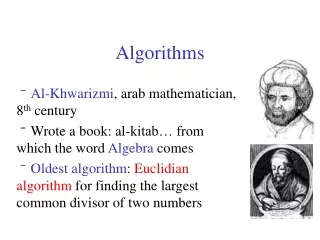
Programming Algorithms: Step-by-Step Computer Instructions
Learn how to control events, variables (Integer, Double, Char, String, Boolean), handle user input, and output with MsgBox. Master loops, conditionals, and functions with clear examples.

Programming Algorithms: Step-by-Step Computer Instructions
E N D
Presentation Transcript
Algorithms Programming – step by step instructions to a computer
Variables Integer Double (floating pt.) Char String Boolean
User Input Input into a TextBox: TextBox1.Text … contains a String, or a number Click on a Button Private Sub Command1_Click() …put code here to handle clicks End Sub
User Output A MsgBox Private Sub Command1_Click() MsgBox ("Hello") End Sub
Iteration 1 Integer X = 0 While X < 1000 … do something X = X+1 Wend
Iteration 2 For X = 1 to 1000 … do something Next X
Conditionals if ( X > 10 ) then Y = 0 else if (X < 5) Y = 10000000 else Y = 12 End if
Booleans conditions If TextBox1.Text = “Open” AND TextBox2.Text <> “Quit” then …
functions Rnd() Sqr( any number ) IsNumeric( any variable ) Int( any floating pt number )