Declaring Arrays
This guide provides essential insights into declaring and using arrays and pointers in C. It covers creating arrays with fixed sizes, using dynamically assigned sizes, and initializing arrays using initializer lists. The text discusses accessing elements, the implications of pointer arithmetic, and best practices for function declarations involving arrays. Additionally, you'll learn about handling strings in C, understanding memory management, and the importance of using proper header files. Ideal for beginners and intermediate programmers looking to deepen their understanding of C.

Declaring Arrays
E N D
Presentation Transcript
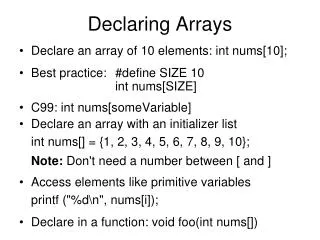
Declaring Arrays • Declare an array of 10 elements: int nums[10]; • Best practice: #define SIZE 10 int nums[SIZE] • C99: int nums[someVariable] • Declare an array with an initializer listint nums[] = {1, 2, 3, 4, 5, 6, 7, 8, 9, 10};Note: Don't need a number between [ and ] • Access elements like primitive variablesprintf ("%d\n", nums[i]); • Declare in a function: void foo(int nums[])
Content 10 20 22 33 50 66 Pointer arithmetic 2 x int i, nums[6]; for (i=0; i<6; i++) nums[i] = i*10; int *np = nums; *(np+3) = 33; nums[5] = 66; *(&np[2]) = 22; int x = &(np[2]) - &(np[0]) Address Nums Note: *(nums + 1) is not equal to *nums + 1
Accessing Arrays using pointers An array is just a pointer to a contiguous block of memory • Declaring in a function:void foo(char *data) • Accessing the 10th elementprintf("%c\n", *(data + 9)); • Another waychar *ptr = data+9;printf("%c\n", *ptr); • Declare: int *x; • Be careful, there is no memory allocated • C does no memory bound checks
Notes on Pointers • C Programmers often favor pointers to process arrays (less typing) • You can use all the relational operators with pointers (<, >, ==, etc.) • You can use all the arithmetic operations(++, +=, --, etc.) • The size in bytes of pointers can be obtained using the sizeof operator
Declaration void foo (const int nums[] , int s) { int i=0, sum=0; for (i=0; i<s; i++) sum += nums[i]; printf("%d\n", sum); } Call int nums[] = {1, 2, 3}; foo(nums, 3); Declaration void foo(const int *nums , int s) { int sum=0, *ptr;for(ptr=nums; ptr-nums<s; ptr++) sum += *ptr; printf("%d\n", sum); } Call int nums[] = {1, 2, 3}; foo(nums, 3); Examples with functions Note: The const modifier is not required, some arrays can be changed
'a' 'b' 'c' '\0' ??? ??? Strings • In C • A string is an array of characters (C has no String type) • The entire array may not be filled • Unlike Java, strings are mutable • The string is terminated by a null ('\0') character • The hard way: char data[6]; data[0] = 'a'; data[1]= 'b'; data[2] = 'c'; data[3] = '\0'; • Declaring a string using a literal:char[] data = "abc"; • Replace the third character:data[2] = 'd';or*(data+2) = 'd'; • Note: 'a' is not "a". Question: How do they differ?
'a' 'b' '\0' Inputting Strings (scanf with %s) • Note: scanf reads till it sees white space • Example: char s[2]; scanf("%s", s); • Problem: inputting "ab" stores '\0' outside the bounds of the array • Result: possible "Segmentation Fault" • Solution: Be sure to define enough space • Another Solution: Use fgets (later topic)
String Output • Print entire string: printf("%s\n", str); • Character by character (a line each)int i;for (i=0; str[i]!='\0'; i++) printf("%c\n", str[i]); • Another wayint i, len = strlen(str);for (int i=0; i<len; i++) printf("%c\n", str[i]);
String Functions • Header file: string.h • Length of a string (excluding the null ('\0'))int strlen: int strlen(const s[]) • Copy from one string to anotherchar* strcpy(char toStr[], const char fromStr[]) • Compare Strings: like the Java Comparable interfaceint strcmp(const char s1[], const char s2[]) • Concatenate a stringchar* strcat(char toStr[], const char fromStr[]) • Notes: • Make sure that the destination string is big enough • There are many more string functions than these • Some (not all) systems include string functions in stdio.h • If there is no null ('\0') bizarre things can happen
Header Files • Look usual places: #include <stdio.h> • Look in local folder: #include "header.h" • Put in your header files: • includes: #include • constants: #define • other preprocessing directives: #ifndef(see next slide)
Problem: If more than one header refers to stdio, it will be included twice Solution: use "if not defined directive"#ifndef UNIQUENAME#define UNIQUENAME•••#endif file1.h#define MAX 5 file2.h #include "file1.h" prog.c#include file1.h#include file2.h MAX is defined twice #ifndef
GDB Debugger • Compile: gcc –g main.c func.c –o main • Invoke: gdb main • Popular commands: • break point: break <line #> or break <function name> • List break points: break or list watches: display • List source: list <line #> or list <function name> • Step into: step or Step over: next or Continue: cont • Display variables and expressions: print <expression> • Create a watch: display <expression> • Run the program: run or Exit debugger: quit • Delete watch: delete display # or Delete breakpoint delete # • Current stack record: where andCaller's stack record: up • GDB Help: help or help command Note: There are cheat sheets available that can help (see class web site)