Introduction to Networking with UNIX: Essential Tools and Commands
This overview provides an introduction to networking within the UNIX system, focusing on essential tools, commands, and text editors. It covers various UNIX shells such as tcsh and bash, highlights fundamental commands for file manipulation, and explains the use of pipes and redirects for processing data. Additionally, it discusses crucial text editors like Emacs and vi, detailing basic functionalities and commands to enhance productivity. Understanding these concepts is vital for navigating and utilizing the UNIX operating system effectively.

Introduction to Networking with UNIX: Essential Tools and Commands
E N D
Presentation Transcript
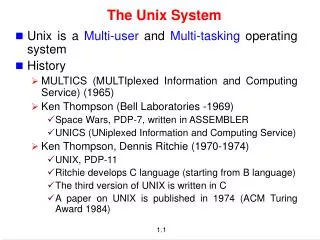
Introduction to Networking THE UNIX SYSTEM Jan 12 2005 Recital 2
Unix Tools • Shells • Useful Commands • Pipes & Redirects
Shells • sh, csh, ksh, tcsh, bash, zsh • Recommend tcsh or bash for interactive use. Both have command completion, simple command line editing and simple to use history facilities. • Change logon shell using chsh
Intro to Unix: Files / tmp dev etc home usr chris mary lib include bin local lib include bin • Filesystem a single tree ( no drives ) • Filenames case senstitive • Physical devices can be mounted anywhere
Some basic commands • the bash shell has automatic completion, just press <TAB> • completion is used for command names and for file names – try: • pressing <tab> twice gives you all options – try:
Intro to Unix: Essential Cmds • cd - change directory - cd • mkdir - make a directory - md • cp - copy a file - copy • ls - list files - dir • rm - remove a file - del • mv - move a file - move & ren • grep - expression searching • top - cpu and memory usage • who/w - who else is logged in • man - read documentation
Other unix commands • where am I? – pwd • who is around? – who • where is that file? – find <path> -name <name>
Using find and grep with wildcards • we can use “wildcard”characters to make searches more general • “*” is the main one, means any set of characthers • ex: – find /home/brian -name “*.ppt” : finds all powerpoint files in the account – grep human *.txt : look for the word “human” in all the files in my directory.
Pipes & redirects • Pipes are used to pass the output from one Unix command as the input to another Unix command. ls | grep “mmk” • Redirects are used to pass the output of a Unix command into a file. ls > directory_listing
Text Editors • Crucial tools for using Unix • Two main editors • emacs • vi • Great features in both: • Syntax highlighting • Brace matching • Sophisticated text manipulation/movement • Scriptable • …
Introduction to Networking EMACS Jan 12 2005 Recital 2
Text Editors: emacs • Configurable, extensible, complicated • emacs and xemacs
Using emacs • to start emacs just “call it” typing emacs • basic editing in emacs is very intuitive – use arrows, “pg up”and “pg down”to move cursor – use del key to delete – back key to delete backwards – typing insert text at the cursor position • to edit an existing file type emacs <name of the file>
Using Emacs: keyboard commands • there are some keyboard commands you need to know • we use the following abbreviations – “C” is the “Control” key – “M” is the “Esc”key – “-” between two letters mean both have to be pressed simultaneously • Some basic commands – C-x, C-s - save the file – C-x, C-c - exit Emacs
Using Emacs: the minibuffer • if you look at your screen you see a solid bar in the bottom of your page • underneath this bar is the “minibuffer” • the “minibuffer” is used for the communication between you and Emacs - emacs prints messages there – you type text that emacs needs to perform a command – you can type commands here
Commands that use the minibuffer • C-x C-w “save as” - you type the new name in the minbuffer • C-x C-f load a new file in Emacs • C-s : search for a string – this search is incremental and goes as you search – typing C-s again will search for the next occurrence of the same string – to go back to the editing, just press any arrow key – after you go back, typing C-s twice resumes the search
Introduction to Networking GCC and make Jan 12 2005 Recital 2
Development tools in UNIX • Creation of source files (.c, .h, .cpp) • Text editors (e.g. vi) • Revision control systems (e.g. cvs) • Compilation (e.g. *.c *.o) and linking • Compilers (e.g. gcc) • Automatic building tools (e.g. make) • Running and testing programs • Debuggers (e.g. gdb)
Links • http://acm.cs.virginia.edu/archives/events/workshop/unix/ • http://courses.cs.vt.edu/~cs2204/spring2002/schedule.html • http://www.cs.toronto.edu/~culhane/Teaching/209-Fall97/Slides/