
Uploaded by
infinity
16 SLIDES
251 VUES
160LIKES
列印文件的三種方式
DESCRIPTION
列印文件的三種方式 . 直接在圖示列上按上印表機的圖案 在其他設定無誤後,直接印出全部內容 在下拉式功能表單按下列印選項 列印時的多項選擇。 在預覽列印的模式下列印 先看看,再列印。. 直接點取圖示工具列的列印. 方法二:功能表列的 【 檔案 列印 】. 步驟一. 步驟二. 步驟 3. 步驟 4. 步驟 2. 步驟 4. 方式三:預覽列印.
Download
1 / 16
Télécharger la présentation 
列印文件的三種方式
An Image/Link below is provided (as is) to download presentation
Download Policy: Content on the Website is provided to you AS IS for your information and personal use and may not be sold / licensed / shared on other websites without getting consent from its author.
Content is provided to you AS IS for your information and personal use only.
Download presentation by click this link.
While downloading, if for some reason you are not able to download a presentation, the publisher may have deleted the file from their server.
During download, if you can't get a presentation, the file might be deleted by the publisher.
E N D
Presentation Transcript
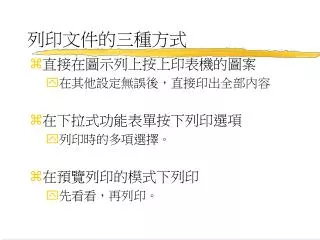
列印文件的三種方式 • 直接在圖示列上按上印表機的圖案 • 在其他設定無誤後,直接印出全部內容 • 在下拉式功能表單按下列印選項 • 列印時的多項選擇。 • 在預覽列印的模式下列印 • 先看看,再列印。
方法二:功能表列的【檔案\列印】 步驟一
More Related