File Systems
Dive into the intricacies of file systems, including how they effectively manage large data storage. This comprehensive overview covers logical structures, file types, naming conventions, and access methods such as sequential and random access. Explore directory systems from single-level to hierarchical, and understand essential file system functions like creation, deletion, and organization of files. Additional topics include disk space management, ensuring reliability amidst shared files, and performance optimization techniques. Essential knowledge for anyone involved in data management or computer science.

File Systems
E N D
Presentation Transcript
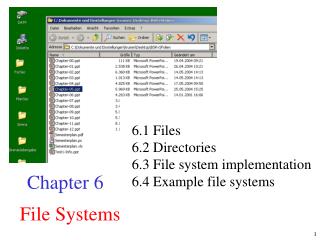
File Systems 6.1 Files 6.2 Directories 6.3 File system implementation 6.4 Example file systems Chapter 6
Long-term Information Storage • Must store large amounts of data • Information stored must survive the termination of the process using it • Multiple processes must be able to access the information concurrently
Logische Struktur von Dateien • Dateiarten • Folge von Bytes • generell “Bytefolge” • Bytes codieren speziellen Inhalt in einer Weise, diedem Dateisystem nicht bekannt ist • Folge von Datensätzen (Records) • Menge von Datensätzen mit Schlüsselattribut • (Baum aus verzeigertenDatensätzen) Name Straße Ort Id-Nr PLZ Name Straße Ort Id-Nr PLZ
File Naming Typical file extensions.
File Types (a) An executable file (b) An archive
Dateizugriffsorganisation • Sequentiell • strikt von vorn nach hinten lesen / schreiben • Wahlfrei • Bytes / Datensätze sind adressierbar • per Nummer / Adresse • per Schlüsselattribut-Wert
Datei: Verwalteter Verbund aus Daten Datei: Menge von Attributen • beschreibend • einordnend • Speicherung verwaltend • die Daten • prominente Attribute • Name • Länge • Inhalt • Erzeugungsdatum • Letztes Änderungsdatum • Dateischutz • Verweis in Verwaltungsstruktur
File Attributes Possible file attributes
Datei: Extern gespeicherte Datensammlung Der effiziente Zugriff muss vorbereitet werden: • Verwaltungsinformation im Arbeitsspeicherablegen • Puffer zum Zugriff einrichten • Geräte belegen Inhaltszugriffe Attribute lesen Datei alsGanzes und Nicht-Inhalts-attributezugreifen öffnen Attribute schreiben positionieren Erzeugen lesen schreiben Löschen schließen Länge ändern
DirectoriesSingle-Level Directory Systems • A single level directory system • contains 4 files • owned by 3 different people, A, B, and C
Two-level Directory Systems Letters indicate owners of the directories and files
Hierarchical Directory Systems A hierarchical directory system
Path Names A UNIX directory tree
Create Delete Opendir Closedir Readdir Rename Link Unlink Directory Operations
File System Implementation A possible file system layout
Datei-Speicherung Wie werden die Elemente einer Datei auf dem Speichermedium positioniert (und bei Zugriffen gefunden)? • Zusammenhängende Speicherung • Adressrechnung zur Positionierung möglich • Einfache Verwaltung • Lücken, fragliche Verlängerbarkeit • Gestückelte Speicherung • Verzeigerte Liste • Hierarchische Verzeigerung (z.B. Indexsequentiell) • In Tabelle verwaltete Stücke • Verzeigerte Tabellenelemente (hierarchisch, z.B. i-node)
Implementing Files (1) (a) Contiguous allocation of disk space for 7 files (b) State of the disk after files D and E have been removed
Implementing Files (2) Storing a file as a linked list of disk blocks
Implementing Files (3) + Verfolgen der Verweisliste zum Positionieren ohne Plattenzugriffe möglich, da File Allocation Table (FAT) im Arbeitspeicher - 1 FAT für alle Dateien einer Platte ist sehr groß und nimmt viel Arbeitsspeicher weg. Linked list allocation using a file allocation table in RAM
Implementing Files (4) • i-node enthält die Verweise einer einzigen Datei und befindet sich auf der Platte: • Nach Einlesen in Arbeitsspeicher kann effizient positioniert werden • Nur i-nodes der offenen Dateien sind im Arbeitsspeicher An example i-node
Implementing Directories (1) (a) A simple directory fixed size entries disk addresses and attributes in directory entry (b) Directory in which each entry just refers to an i-node
Implementing Directories (2) • Two ways of handling long file names in directory • (a) In-line • (b) In a heap
Shared Files (1) File system containing a shared file
Shared Files (2) (a) Situation prior to linking (b) After the link is created (c) After the original owner removes the file
Disk Space Management (1) • Dark line (left hand scale) gives data rate of a disk • Dotted line (right hand scale) gives disk space efficiency • All files 2KB Block size
Disk Space Management (2) (a) Storing the free list on a linked list (b) A bit map
Disk Space Management (4) Quotas for keeping track of each user’s disk use
File System Reliability (1) • A file system to be dumped • squares are directories, circles are files • shaded items, modified since last dump • each directory & file labeled by i-node number File that has not changed
File System Reliability (2) Bit maps used by the logical dumping algorithm
File System Reliability (3) • File system management states (a) consistent (b) missing block (c) duplicate block in free list (d) duplicate data block
File System Performance (1) The block cache data structures Strategie-Zeiger (z.B. LRU) Hash-Kollisionsauflösungsliste
File System Performance (2) • I-nodes placed at the start of the disk(langer Weg vom i-node zum ersten Inhaltsblock) • Disk divided into cylinder groups • each with its own blocks and i-nodes
Log-Structured File Systems • With CPUs faster, memory larger • disk caches can also be larger • increasing number of read requests only accesses cache • thus, most real disk accesses will be writes • LFS Strategy structures entire disk as a log • have all writes initially buffered in memory • periodically write these to the end of the disk log • when file opened, locate i-node, then find blocks
Example File Systems CD-ROM File Systems The ISO 9660 directory entry
The MS-DOS File System (1) The MS-DOS directory entry
The MS-DOS File System (2) • Maximum partition for different block sizes • The empty boxes represent forbidden combinations
The Windows 98 File System (1) The extended MOS-DOS directory entry used in Windows 98 Bytes
The Windows 98 File System (2) An entry for (part of) a long file name in Windows 98 Bytes Checksum
The Windows 98 File System (3) An example of how a long name is stored in Windows 98
The UNIX V7 File System (1) A UNIX V7 directory entry
The UNIX V7 File System (2) A UNIX i-node
The UNIX V7 File System (3) The steps in looking up /usr/ast/mbox