Essential Guide to SAP Work Order Management (IW31, IW42, DP01, DP02)
This guide provides a comprehensive overview of essential commands and processes for managing work orders in SAP, specifically focusing on IW31, IW42, and various maintenance order types. Learn how to handle corrective (DP01) and preventative (DP02) maintenance orders, as well as time confirmation processes using transaction codes. Understand the nuances of entering and managing administrative time, and find out how to effectively use the system for vehicle fleet management. Follow step-by-step instructions to ensure efficient operations.

Essential Guide to SAP Work Order Management (IW31, IW42, DP01, DP02)
E N D
Presentation Transcript
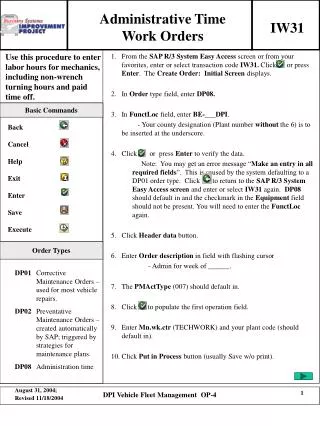
Administrative Time Work Orders IW31 Basic Commands Back Cancel Help Exit Enter Save Execute Order Types DP01 Corrective Maintenance Orders – used for most vehicle repairs. DP02 Preventative Maintenance Orders – created automatically by SAP; triggered by strategies for maintenance plans. DP08 Administration time DPI Vehicle Fleet Management OP-4
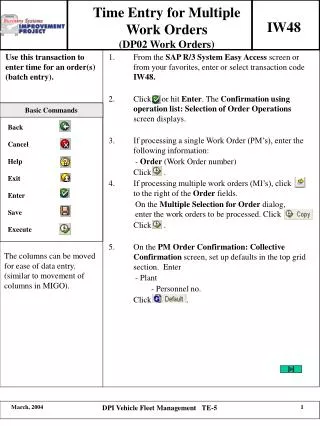
Use Transaction code IW42 to enter time confirmation. • Enter /NIW42 from the Create DPI Construction/Building Maintenance: Initial Screen. • - Alternatively, you can click on to return to the SAP Easy Access Screen and enter or select transaction code IW42. • Refer to IW42 cheat sheet for process (follow steps 2 to 5). • Click on Tech.completion button. • Click on . • NOTE: If a mechanic time is split between wrench-turning and other duties, the time allocated to other duties are entered in DP08. • NOTE: All time entered is lumped together – there is no distinction among general shop duties, vacation, holidays, etc. • NOTE: You can use IW41 or IW48 to enter the time confirmation and then IW32 to technically complete the work order. DPI Vehicle Fleet Management OP-4