Comprehensive Free Software for Network Visualization and Analysis
Explore free and user-friendly software options for network visualization and analysis. This guide highlights tools like NodeXL, yED, UCINET, and Visualyzer, each offering unique features such as easy on-screen drawing, multiple layout options, and the ability to import/export various formats. Create dynamic visualizations with customizable attributes for nodes and links, all while benefiting from user manuals and ongoing development. Ideal for professionals and researchers looking to document and analyze network data effectively.

Comprehensive Free Software for Network Visualization and Analysis
E N D
Presentation Transcript
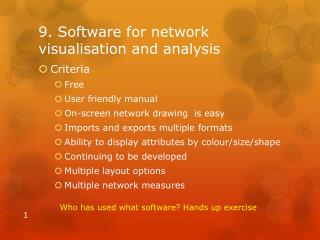
9. Software for network visualisation and analysis • Criteria • Free • User friendly manual • On-screen network drawing is easy • Imports and exports multiple formats • Ability to display attributes by colour/size/shape • Continuing to be developed • Multiple layout options • Multiple network measures Who has used what software? Hands up exercise
NodeXL, an Excel Template • Free, manual exists, continuing development • You can give nodes and links as many different attributes as desired • Including objective descriptions, results data • And these can be visualised in the colour/size/shape of nodes and links
yED, diagramming software • Free • Wide range of ways of visualising differences in nodes and links • Copes with Excel files that vary in their layout • Diagrams can be uploaded as interactive web pages
UCINET & NetDraw • The most widely used SNA package • Lots of data manipulation and network analysis tools • Lots of layout and filtering options • Continually being developed • Steep learning curve • Courses available
Visualyzer • Very easy on screen drawing • User friendly manual • Attributes of nodes and links can be made visible by mouse-over, clicks and coding • Expensive • Not under continuing development
The attributes of the actors can be made visible by cursor rollover+shift
10. Participants’ plans for possible post-workshop applications • Participants (in 3’s) brainstorm a possible network mapping exercise, with each identifying: • What sort of project ? • At what stage ? • Using what sort of data ? • Involving who ? • To document a plan or a current reality ? • At what level of detail ? 30
11. Workshop Evaluation • One page feedback form • Post-workshop requests for help • 1 hour for each person, by skype and or email • Follow up participants’ survey • On possible post-workshop connections between participants 30
Qualitative feedback.. • Like and should keep • Don’t like, but should improve and keep • Don’t like and should remove • Missing and should be added
12. Resources www.mande.co.uk PW: Prague