1 / 6

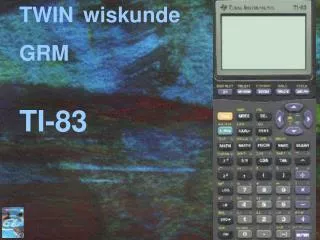
Interactive Math Tool for Graphs and Calculations

This math tool on the TI-83 calculator provides functions for graphing equations, finding intersections, calculating maximum points, linear regression, formula input, and solving mathematical problems.

jade-estes
Télécharger la présentation

Interactive Math Tool for Graphs and Calculations

An Image/Link below is provided (as is) to download presentation Download Policy: Content on the Website is provided to you AS IS for your information and personal use and may not be sold / licensed / shared on other websites without getting consent from its author. Content is provided to you AS IS for your information and personal use only. Download presentation by click this link. While downloading, if for some reason you are not able to download a presentation, the publisher may have deleted the file from their server. During download, if you can't get a presentation, the file might be deleted by the publisher.

E N D

Presentation Transcript


  1. TWIN wiskunde GRM TI-83

  2. TWIN wiskunde GRM Grafieken: Y= ZOOM GRAPH 2nd GRAPH =TABLE 2nd TRACE = CALC

  3. TWIN wiskunde GRM Snijpunt van grafieken: 2nd TRACE = CALC 5:intersect First curve Second curve Guess kiezen en / of enter

  4. TWIN wiskunde GRM Maximum: 2nd TRACE = CALC 4:maximum Left Bound Right Bound Guess kiezen en / of enter

  5. TWIN wiskunde GRM Lineaire Regressie: STAT EDIT 1:Edit STAT CALC LinReg(ax+b) VARS

  6. TWIN wiskunde GRM Formules invullen rekenen: Solver MATH 0:Solver… ALPHA ENTER (=SOLVE) Doorbuiging van een plank:


More Related