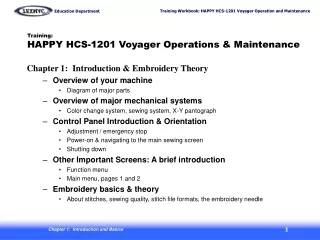
Needle Setup for HCS Voyager Machine: Step-by-Step Guide
140 likes | 244 Vues
Follow this comprehensive guide to set up the HCS Voyager machine for needle configuration. Begin by placing the machine on Needle #1 and powering it on while holding the "Menu" button. Complete the frame movement through the 'Set' option. Access the maintenance function, input code "2251," and set the appropriate letters from D to F, moving the head to Needle #12 accordingly. This process involves scrolling and confirming selections until completion. Ensure all needle numbers correspond correctly before restarting the machine.


Needle Setup for HCS Voyager Machine: Step-by-Step Guide
E N D
Presentation Transcript
Needle Memory For HCS Voyager Click the pictures to advance to next slide Use the left arrow to go back.
Manually place the machine on needle #1 Then turn off the machine
1. turn on the machine, While holding the “Menu” button, until you see the frame move screen…
3. Press the “menu” button and scroll to the “other” function…
4. Press “set” and select “maintenance” on the list, and press “set”…
6. Press “set” to highlight the letter and scroll to the letter “ D” then press set…
10. After the machine returns and you see the #12 on the screen, Manually move the head through the needles from 12 down, and watch the screen to see the #’s correspond to the needles.
11. If correct, turn off machine, and restart normally. Done!