Understanding Sound Formats: Analog to Digital Conversion and the Role of Codecs
Sound exists as analog waves, but when stored on devices like computers and CDs, it's converted to digital format. Analog formats include vinyl and cassette, while digital includes mp3s. To play digital files, specific codecs (compression and decompression algorithms) transform the data so it can be heard correctly. These codecs are crucial for converting various data formats—audio, video, and streamed content. Some media players come with built-in codecs, like VLC, while others may need additional codec libraries for proper playback.

Understanding Sound Formats: Analog to Digital Conversion and the Role of Codecs
E N D
Presentation Transcript
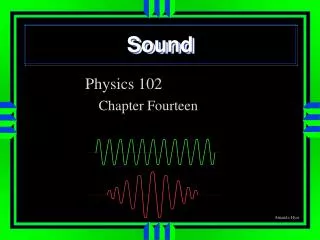
What you hear • is waves, an analog format. • BUT what is stored on a computer, or music CD is digital. • Vinyl, and cassette (and 8 track) are already analog.
Conversion • Since what you hear is not digital storing (and retrieving) sound must be done in such a manner as to make the differences small enough. • A codec (compression – decompression algorithm) is used to transform information from one form to another. • So, for example, if you have a file that contains a song in mp3 format then in order to “play” it on your computer, the player must have access to a codec that converts mp3 files into the correct format to play.
Codecs • There are codecs for converting data in a variety of formats: audio, video, streamed. • When data is converted it is then stored in a “container” file. • Some software for playing files has the codecs built in (VLC) while others require separate Codec libraries.