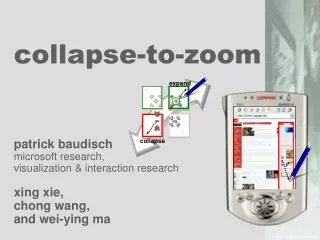
collapse-to-zoom
This presentation showcases the innovative "collapse-to-zoom" method developed to improve the user experience of browsing large documents on small screens, such as PDAs. The technique allows users to remove irrelevant content and focus on important areas by collapsing portions of the document. The presentation includes two demos, one short and one longer, demonstrating the functionality and effectiveness of this approach, which combines principles from various related works and integrates user knowledge about relevant content.

collapse-to-zoom
E N D
Presentation Transcript
expand collapse collapse-to-zoom patrick baudischmicrosoft research,visualization & interaction research xing xie,chong wang,and wei-ying ma
short demo (there will be a second, slightly longer demo at the end of this talk)
contents • short demo • the problem: viewing large documents on small screens • related work: overviews, fisheyes,… • collapse-to-zoom: removing irrelevant content… • …in a single pen stroke (marquee menu) • slightly longer demo • conclusions
related work • approaches • device-specific authoring • multiple-device authoring • automatic re-authoring • and client-side navigation thumbnail viewscollapse-to-zoom
related work: zooming • [Xie etc. al, www’04]:tap to zoom into a tile
related work: overview+detail • [O’Hara et. at CHI 99]: readable text on hover
related work: multiple foci • [Wobbrock++ UIST’02]: Web thumb
limitation of zooming • page content is unreadable… • …so how can users know where to zoom in? ?
collapse-to-zoom • allow users to use their knowledge about relevant areas zoom in (arbitrary rectangular regions) .
collapse-to-zoom • allow users to use their knowledge about relevant areas zoom in • …but also allow leveraging their knowledge about what is not relevant collapse
collapse-to-zoom • always show full page width • use freed space to grow remaining (relevant) content
collapse-to-zoom • provide visual context at all times: placeholders
collapse-to-zoom • allow bookmarking collapsed state
marquee menu:there are 4 ways to select • today: no distinction between the four ways of opening rectangular selection
the name of the game • photoshop: “marqueeselection” • “marking menu”:selecting commands with a pen stroke • combine both marquee menu
expand-cell expand&zoom collapse-column collapse-cell ds an expand m com collapse main marquee menu: direction selects 1 of 4 commands
implementation • runs on desktop / tabletPC • page-splitting based on DOM • limitation: can’t start drag over link • user study
next steps:transfer to smartphone • generic • label cells with numeric codes and let users enter cell label [Paek et al. CSCW 2004] • simple: reduce to 1D • collapse column and expand column • webTV
next steps:integrating it all + + collapse-to-zoomfor interaction fishnetfits page to screen height semantic thumbnailsfits page to screen width
thanks! • try it out: demo reception tonight • http://patrickbaudisch.com • thanks toxing xiechong wang,and wei-ying ma • MSR VIBE
related work: halo peripheral awareness indicator • keep it off-screen,but show the user • [baudisch CHI 2003]
User can follow links directlyfrom within overview User uses expand-and-zoomgesture… thumbnail view:unreadably small user collapses“archive” column to… which leads to fullyreadable detail view next visit of that page:page is already pre-collapsed …make page content grown.Now collapses “menu” column Content area expands more and is now readable collapse-to-zoom:walkthrough • zoom into relevant areas • and remove irrelevant areas (such as “menu” and “ad” columns)
collapse-to-zoom • in order to make something bigger we need to make something else smaller
related work: search terms • [baudisch++AVI’04]fishnet • require search terms • [woodruff++CHI’02] popout prism/ enhanced thumbs