Back to Basics: Understanding the Internet and Web Browsing
In this Tech Tuesdays session, we dive into the fundamentals of the Internet and World Wide Web. Learn essential vocab such as "network", "browser", and "URL", and discover how to navigate the web effectively. We will cover using search engines, favorite buttons, and managing browser functions like refresh and back. Perfect for beginners and those looking to brush up on their skills, this guide is tailored for grades 2 and up. Join us to simplify your online experience and enhance your digital literacy!

Back to Basics: Understanding the Internet and Web Browsing
E N D
Presentation Transcript
Back to Basics: Internet Explorer Tech Tuesdays TechTuesdays
What Will We Learn? • What is the Internet & WWW • Basic vocab • Search Engine • How to use the back, home, and other buttons • How to add a favorite TechTuesdays
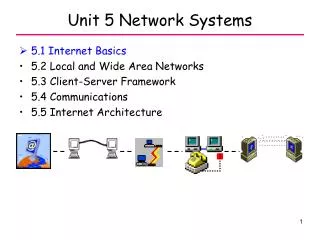
What is the Internet? • Network – 2 or more computers connected together • Internet – an international network of computer networks • Began in 1970s as way for military, universities, and business to share info TechTuesdays
2. What is the World Wide Web? • Lets you see what’s posted on the Internet • To get information off of the WWW, you need three things: 1. Internet Service Provider 2. Browser 3. Search Engine TechTuesdays
Browser – not from ShaNaNa • A software program that displays the text, graphics, sounds, and more on the WWW. • Two main ones:Internet ExplorerNetscape Navigator TechTuesdays
Your Vocab for the week… • Home page – the first page open when you goonline (connected to the Internet) • Easy to change! TechTuesdays
Web Site or Web Page? • Web site – the collection of web documents for a company, person, etc. • Web page – one part of a web site • http://www.lausanneschool.com - web page or site? • http://www.lausanneschool.com/Technology/techtuesdays.html - web page or site? TechTuesdays
URL doesn’t have to die.. • URL – Uniform Resource Locator • The address of a web site • www.flingthecow.com = URL • Must type it in exactly!! • No punctuation, spaces, or most symbols TechTuesdays
This is where you type the address of a site you want to see These are favorites: places I go to a lot! This is called a pop-up menu! Anything you can click on to get to another page is called a link! TechTuesdays
Buttons to use Click here to return to your home page. Click here to stop a page from loading. Good when the computer freezes or other problems happen. Click here to “refresh:” A site that changes a lot and you want the latest version (www.cnn.com). Click here to go back to a previous site. Click here if you moved back a site but now want to go forward. TechTuesdays
Favorites • Go to a site a lot? Make it a favorite. • Go to that site (type the address in the URL blank). • Click on the Favorites folder. • Click on the word Add in the left frame. • Hit OK (you can create a folder for similar sites) TechTuesdays
Step one: Click on the Favorites folder Step two: click on Add Step three: hit OK or create a folder to put it in. Step four: When you want to go to that site, now just click the site/folder above. Hint: if you don’t see this Favorites frame, just hit the Favorites folder! TechTuesdays
And, now, the end is near... • That’s it for the Back-to-Basic series! • Next week: TrackStarmake the Internet easy! • For grades 2 and up! • If you want info on searching for stuff and evaluating sites on WWW, go to: www.lausanneschool.com/Technology/techtuesdays.html TechTuesdays