Dynamic Logo Creation and Animation Using Logo Programming Language
This document outlines a series of logo programming commands aimed at creating dynamic logos and animations. It includes instructions for drawing shapes, spirals, and repeating patterns with varying parameters. The commands cover techniques such as setting pen colors, random positioning, and repeatedly drawing geometric forms like circles and polygons. Ideal for both beginners and experienced users, this guide serves as a foundational resource for understanding how to leverage logo programming to create visually appealing designs and complex animations.

Dynamic Logo Creation and Animation Using Logo Programming Language
E N D
Presentation Transcript
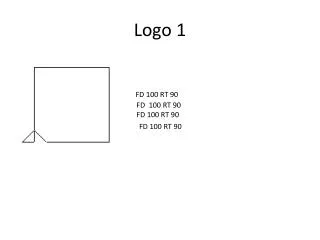
Logo 1 FD 100 RT 90 FD 100 RT 90 FD 100 RT 90 FD 100 RT 90
Tecnoo art!! • Logo 2 REPEAT 3 [FD 100 RT 120] REPEAT 5 [FD 100 RT 72]
Logo 3 cs repeat 20 [fd 100 rt 170] FD 100 RT 120 FD 100 RT 90
Logo 4 CS REPEAT 100 [FD 10 RT REPCOUNT] REPEAT 100 [SETXY RANDOM 200 RANDOM 200]
Logo 5 TO RCCIRCLES REPEAT 500 [ SETPC RANDOM 15 PU SETXY RANDOM 2000 RANDOM 2000 PD CIRCLE RANDOM 100 ] RCDISK RCDISK RCDISK TO RCLINES REPEAT 200 [ SETPC RANDOM 15 SETXY RANDOM 2000 RANDOM 2000]END
Logo 6 TO RPOLYMAKE “SIDES 3+RANDOM 10 REPEAT :SIDES [FD 50 RT 360/:SIDES]END
LOGO 7House!!!!!!!!! repeat 4[fd 100 rt 90]
LOGO!! SPIRAL 5 89 Stopping... in SPIRAL [SPIRAL :SIZE+5 :ANGLE] SETPENCOLOR [255 0 255] SETFLOODCOLOR [255 0 255]
LOGO!! SPIRAL 5 89 Stopping... in SPIRAL [SPIRAL :SIZE+5 :ANGLE] SETPENCOLOR [0 255 0]
LOGOO TO SPIRAL :SIZE :ANGLE FD :SIZE RT :ANGLE SPIRAL :SIZE+5 :ANGLE END
LOGOO!! TO SIDEBIT :SIZE :ANGLE FD :SIZE LT :ANGLE WAIT 10 SIDEBIT :SIZE+5 :ANGLE END