Understanding Java Input/Output Streams: Mark, Reset, and Object Serialization
This document explores Java's InputStream and Reader classes, focusing on the mark and reset methods that manage input stream positions. It highlights the importance of byte limits and stream support for these methods. Furthermore, it details ObjectOutputStream and ObjectInputStream for object serialization, including writing and reading objects from files, with emphasis on the Serializable interface. The document also discusses random access and sequential access files, demonstrating how to manipulate file pointers in RandomAccessFile.

Understanding Java Input/Output Streams: Mark, Reset, and Object Serialization
E N D
Presentation Transcript
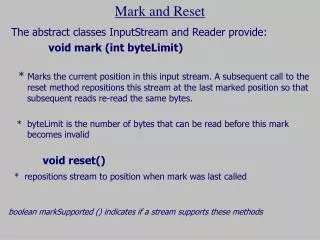
Mark and Reset The abstract classes InputStream and Reader provide: void mark (int byteLimit) * Marks the current position in this input stream. A subsequent call to the reset method repositions this stream at the last marked position so that subsequent reads re-read the same bytes. * byteLimit is the number of bytes that can be read before this mark becomes invalid void reset() * repositions stream to position when mark was last called boolean markSupported () indicates if a stream supports these methods
int[] intList; intList = new int[100]; //this file contains one number 66 FileReader file = new FileReader("number.txt"); BufferedReader ifile = new BufferedReader(file); // all array elements are initialized to 66 ifile.mark(5); for (int i = 0; i<100; i++){ String sVal = ifile.readLine(); ifile.reset(); intList[i] = Integer.parseInt(sVal); }
Object Output Another byte (binary) I/O class which extends from OutputStream is ObjectOutputStream ObjectOutputStream class can save entire objects to disk !
Serializable • Objects that are written to an object stream must belong to a class that implements the Serializable interface. class Coin implements Serializable { ... } ** Serializable interface has no methods.
ObjectOutputStream methods Stream does not just write objects …….. write( ) - writes a byte writeInt(int) - writes a 32 bit int writeDouble(double) - writes a 64 bit double writeChar(char) - writes a 16 bit char writeObject(Object) - writes the specified object to the output stream (if Serializable) close() - closes stream
public static void main (String[] args) throws IOException{ int iVal = 15; int[] oVal; oVal = new int[10]; //init some primitive and an Array object double dVal = 55.6; for (int j = 0; j< 10; j++) oVal[j] = j; //set up output file for receiving objects OutputStream ofile = new FileOutputStream("data.dat"); ObjectOutputStream ostrm = new ObjectOutputStream(ofile); //output the data ostrm.writeInt(iVal); ostrm.writeObject(oVal); //Java arrays implement Serializable ostrm.writeDouble(dVal); //close file ostrm.close(); } Writing an Object to a File
Object Input • Another byte (binary) I/O class which extends from InputStream is ObjectInputStream ObjectInputStream class can read from a file, written by ObjectOutputStream (Data must by read with respect to datatype and order with which it was written)
ObjectInputStream methods read( ) - reads a byte readInt() - reads a 32 bit int readDouble() - reads a 64 bit double readChar() - reads a 16 bit char readObject( ) - reads the specified object to the input stream (if Serializable) close() - closes stream
public static void main (String[] args) throws IOException, ClassNotFoundException { int iVal ; int[] oVal; double dVal ; //set up output file for receiving objects InputStream ifile = new FileOutputStream("data.dat"); ObjectInputStream istrm = new ObjectInputStream(ifile); //output the data iVal = istrm.readInt(); oVal = (int []) istrm.readObject(); dVal =istrm.readDouble(); // data has been read into variables //close file ostrm.close(); } Reading from File containing Objects
Reading a Coin Object from a File ObjectInputStream in = new ObjectInputStream(newFileInputStream("coins.dat")); Coin c = (Coin)in.readObject();
Random .vs. Sequential Access • Sequential access • A file is processed a byte at a time. • Random access • Allows access at arbitrary locations in the file
Random and Sequential Access To open a random-access file for reading and writing RandomAccessFile f = new RandomAcessFile("bank.dat","rw");
To move the file pointer to a specific byte f.seek(n); • To get the current position of the file pointer. long n = f.getFilePointer(); • To find the number of bytes in a file long fileLength = f.length();