HTML 101
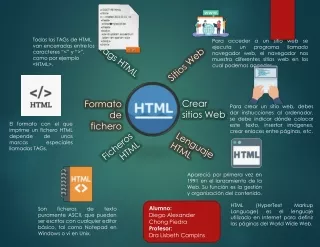
HTML 101. HTML. HTML is a standard Maintained by a nonprofit, international organization participated by many IT companies W3.org. HTML. Simple Just markups and plaintext Readable by human Use plain text Editable by Notepad Verbose Readable and friendly to human

HTML 101
E N D
Presentation Transcript
HTML • HTML is a standard • Maintained by a • nonprofit, • international organization • participated by many IT companies • W3.org
HTML • Simple • Just markups and plaintext • Readable by human • Use plain text • Editable by Notepad • Verbose • Readable and friendly to human • Leave the chore to computer • Good!!!
HTML Versions • Now comes HTML 4.0 and XHTML • Strict syntax as XML • Lowercase tags • About content, not format, which is designated to css • HTML 5.0 • Canvas • …
The file extension • .html • .htm
Editable by • Notepad • dreamWeaver • Visual Studio • … • Browsable by • Ie • Opera • Chrone • …
HTML文档基本结构 <html> <head> <!—Here goes the info about the document--> </head> <body> <!—Here goes the content--> </body> </html>
HTML Tag Basics Start tag End tag <h1>Hello World</h1> Tags “mark up” the HTML document. The tags are read and interpreted by the browser - but not shown. Attribute <img src=”x.gif” /> A self closing tag does not need a corresponding end tag. Self-closing tag
ML--Element • The start tag and end tag must be paired; note the slash • There are elements /texts between the start tag and end tag
ML--Element • We have rules regarding the element name and what content it holds • You must use specified element name and cannot create your own element • The element name is lowercase, generally
ML--Element • For element with no content, the start tag and end tag are collapsed into one like <hr/>. • hr means horizontal row, a horizontal line.
Attributes • <html> • <head> • <title>Untitled Page</title> • </head> • <body> • 姓名: • <input type="text" /> • 婚否 • <input type="checkbox" checked/> • </body> • </html> • Separated by at least one whitespace • Value must be quoted by double quotes • A property can have no value • Same Property name doesn’t occur twice • Attribute identifier contains no special chars such as =,”, etc.
HTML标记 lower case • Tag/ Attribute • 一般小写
ML--Content • <html> • <head> • <title>Untitled Page</title> • </head> • <body> • 姓名: • <input type="text" /> • 婚否 • <input type="checkbox" checked/> • </body> • </html> • In the starting note and ending note is the content, including other tags and/or plain texts
ML--Content • <html> • <head> • <title>Untitled Page</title> • </head> • <body> • 姓 名 : • <input type="text" /> • 婚 • 否 • <input type="checkbox" checked/> • </body> • </html> Redundant space and carriage enter are ignored • Note the space before, in and after “姓 名:” • Note the newline in “婚否”is displayed as whitespace • If you want to insert some whitespace, or other special chars, such >, you have to…see next slide
Escape Special Chars
Escape Special chars • Å vs å • Entity name ,case sensitive • A Ӓå • Entity number ,decimal • å • Entity number, hexadecimal, case insensitive <html> <head> <title>Untitled Page</title> </head> <body> 姓名: <input type="text" /> 婚否? <input type="checkbox" checked/> <br /> 请朗读以下字符:ÅåAӒååå &<>" </body> </html>
How to display a world map with only one character <html> <body> <p style="font-family:Webdings;font-size:600px;">û</p> </body> </html>
Good habit to code ML-Indent • Start and end at the same indent position • Content needs a unit of indent. • Use tab <tag> <subTag1>…</subtag1> <subTag2> … </subTag2> </tg> Help you debug
ML Coding—outline first • Write the outlying pair (tags, quotes, braces, etc) first, then insert its content. E.g • <tag></tag> • <tag>””</tag> • <tag> • “…” • <subTag> • </subTag • </tag> • Make the code syntactically right always • Help debug • Lest that the latter part be forgotten
tools • Notepad • Visual Studio • DreamWeaver • Word, excel, … • …
debug • FireBug • Browser • Press F12 in new versions of IE
Validating HTML • To validate a web page, you can use the online validator • Paste, or upload the HTML or use a URL • http://validator.w3.org Source: W3C http://validator.w3.org/check
Comment • <!--comment inserts here--> • If you want to delete some contents temporally, you can comment it out. • <html> • <head> • <!--<title>Hi, HTML</title>--> • </head> • </html>
HTML常用标记 inhead <title> <meta> <meta name="keywords" content="HTML, CSS, XML" /> <meta name="description" content="Free Web tutorials on HTML, CSS, XML" />
HTML常用标记 inhead • <title> • HTML, CSS, XML" />
meta name=“___” • <meta> • <meta name="keywords" content="HTML, CSS, XML" /> • <meta name="description" content="Free Web tutorials on HTML, CSS, XML" />
Refresh by http-equiv • <meta http-equiv="Refresh" content="300"> • <meta http-equiv="Refresh" content="20; URL=page4.html">
Meta name=… • Author • The value must be a free-form string giving the name of one of the page's authors.
base • have either an href attribute, a target attribute, or both, specifying • the document base URL for the purposes of resolving relative URLs, • the name of the default browsing context for the purposes of following hyperlinks. The • There must be no more than one base element per document.
<head> • <base href="http://www.example.com/news/index.html"> • </head> • <body> • <a href="archives.html">archives</a> would be a link to http://www.example.com/news/archives.html. • </body>
Link • <link rel="stylesheet" href="B" type="text/css"> • <link rel="stylesheet" href="C">
HTML常用标记 inbody <h1>… <h6> <div> <span><p> <hr><br> <img> <object><iframe> <a> <!– 注释内容 --> <table><form>
<article> • <section>
Header Levels <h1>First Major Heading</h1> <h2>First Subheading</h2> <h2>Second Subheading</h2> <h3>A Sub-subheading</h3> <h1>Another Major Heading</h1> <h2>Another Subheading</h2> Headers were very ugly in default rendering - most folks started with <h3>.
bdi • The bdi element represents a span of text that is to be isolated from its surroundings for the purposes of bidirectional text formatting. [BIDI] • For the purposes of applying the bidirectional algorithm to the contents of a bdi element, user agents must treat the element as a paragraph-level container. • For the purposes of applying the bidirectional algorithm to the paragraph-level container that a bdi element finds itself within, the bdi element must be treated like a U+FFFC OBJECT REPLACEMENT CHARACTER (in the same manner that an image or other inline object is handled).
Categories: • Flow content. • Phrasing content. • Palpable content. • Contexts in which this element can be used: • Where phrasing content is expected. • Content model:Phrasing content. • Content attributes: • Global attributes • Also, the dir global attribute has special semantics on this element • DOM interface:Uses HTMLElement.
<ul> • <li>User <bdi>jcranmer</bdi>: 12 posts. <li>User <bdi>hober</bdi>: 5 posts. • <li>User <bdi>إيان</bdi>: 3 posts. • </ul>
The bdo element represents explicit text directionality formatting control for its children. It allows authors to override the Unicode bidirectional algorithm by explicitly specifying a direction override. [BIDI]
bdi • unicode • bdo • Explicitly by dir
... <ruby> 汉<rt>hàn</rt> 字<rt>zì </rt> </ruby>...
rp <ruby> 漢 <rp> (</rp> <rt>かん</rt> <rp>) </rp> 字<rp> (</rp> <rt>じ</rt> <rp>) </rp> </ruby> ... 漢 (かん) 字 (じ) ...