Efficient Financial Reporting Guide
Learn how to create and manage financial reports effectively with our comprehensive guide. Discover best practices and tips to streamline your reporting process.

Efficient Financial Reporting Guide
E N D
Presentation Transcript
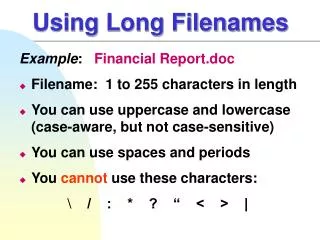
Using Long Filenames Example: Financial Report.doc • Filename: 1 to 255 characters in length • You can use uppercase and lowercase (case-aware, but not case-sensitive) • You can use spaces and periods • You cannot use these characters: \ / : * ? “ < > |
Using Long Filenames Example: Financial Report.doc • Filenames consist of two parts: • Main part of filename: Financial Report • File extension: doc • Main part of filename identifiesthe contents of the file • File extension identifies the file type • The last period separates the file extension from the main part of the filename • Windows typically associates a file extensionwith an application installed on a computer
Using Long Filenames Naming Folders Example: Program Files • Folder names follow the same guidelines for naming files • Folder names usually do not have a file extension
MS-DOS Filenames Example: RESUME.DOC • Filename: 1 to 8 characters • File extension: 1 to 3 characters • DOS only uses uppercase • You cannot use spaces • A single period separates the file extension from the filename • You cannot use these characters: \ / : * ? “ < > | + = ; , [ ]
Value of Long Filenames Example of: • Windows 95/98/NT4/2000/ME/XP Filename: First Quarter Sales Summary.doc • MS-DOS or Windows 3.x Filename: QTR1SLS.DOCorQTR1_SLS.DOC
Using Long Filenames • Application and system filenames follow the MS-DOS naming conventions Examples: Microsoft Word winword.exe Explorer EXPLORER.EXE Font View FONTVIEW.EXE Disk Cleanup CLEANMGR.EXE
Using Long Filenames • System and application folders may or may not follow the MS-DOS naming conventions Windows folder: WINDOWS WINNT WIN98 Long Filenames: Program Files My Documents Temporary Internet Files Offline Web Pages Microsoft Office Internet Explorer Accessories