Download
1 / 10
100 likes | 234 Vues
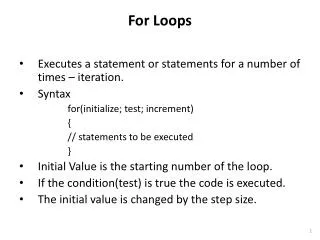
This guide provides a comprehensive introduction to for loops in JavaScript, specifically using an example that generates output on a web page. Initially, we explore the basic structure of a for loop, which involves initialization, condition, and incrementing the counter. The example displays the phrase "All work and no play makes Jack a dull boy" for 100 iterations. We also discuss variations of the loop, including changing the starting point, counting down, and showing the iteration number within the output. Perfect for beginners wanting to grasp loop mechanics!

E N D
Introduction to For Loops See Beginning JavaScript (Paul Wilton) p. 87
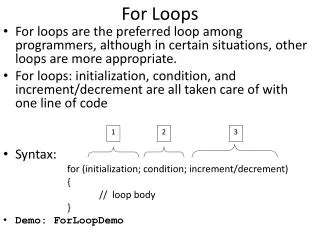
var SomeHTML=""; for(i=1; i<=100;i++) { SomeHTML+="All work and no play makes Jack a dull boy. "; } document.write(SomeHTML); for keyword that indicates a for loop repetitive structure i=1 where we start counting the iterations i<=100 condition under which we will continue to count i++ the incrementing — this does the counting, the changing of the counting variable, in this case by 1. It could also be written i=i+1 or i+=1 The parts above are in parentheses and separated by semicolons. Then comes a set a curly brackets. The line(s) of code in the curly brackets constitute a single “iteration.”
Variation There are 3 loops this time; the middle one changes the iteration code (inside the curly brackets) somewhat.
Second Variation The counting variable is concatenated with the text – so that the counting is seen on the page.
Third Variation That’s two minus signs in a row. A change in the initialization (starting point) to start at 10, a change in the condition appropriate to counting down, a change from incrementing to decrementing.