Streamline Your Sales Processes with SalesCTRL HotLink Accounting Software
SalesCTRL HotLink simplifies your sales and accounting functions by providing real-time access to customer information, open orders, invoices, and inventory data. The software allows for seamless order entry, quote generation, and automated processes, enhancing the efficiency of your sales team. Key features include user-defined acknowledgments, picking slips, and reminder notifications for inventory items. Reduce the need for multiple user licenses while enjoying the convenience of integrated data for reporting and targeted marketing. Maximize your sales potential with SalesCTRL HotLink today!

Streamline Your Sales Processes with SalesCTRL HotLink Accounting Software
E N D
Presentation Transcript
HotLink SalesCTRL Accounting Software
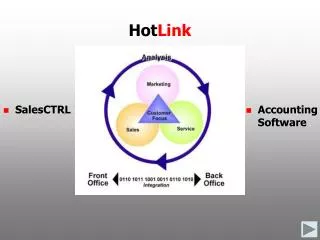
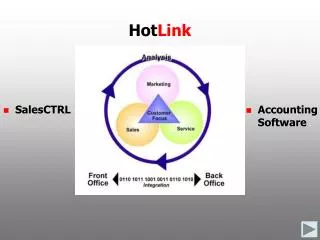
The SalesCTRL HotLinkprovides a single source for customer information
HotLink menu functions include inquiries, order/quote entry, new customer defaults, user-defined acknowledgement, picking slip, and quote forms, and inventory item reminder notes.
SalesCTRL HotLinkKey Features • Real-time access to customer account information including credit status, open invoices, open orders, sales history, inventory pricing and availability • Process orders, sales, quotes, and email acknowledgements including inventory pictures, convert quotes to sales, convert a prospect to a customer on-the-fly during order entry, print picking slips, and manage item/customer reminders • Generate custom reports, broadcast emails, and automated business processes using SalesCTRL and accounting data for analysis, cross selling, targeted marketing, sales reporting, and work flows • Reduce the number of required accounting software user licenses for TRAVERSE
TRAVERSE v10.2* One Remote User Data Connector Per SalesCTRL HotLink Connection (does not require TRAVERSE System Manager user license) Unmodified tables OSAS v7.0* BBj Enterprise ODBC One ODBC Connection Per SalesCTRL HotLink Connection Unmodified data structure SalesCTRL HotLink Requirements *Sales Order, Accounts Receivable, General Ledger, Inventory
The SalesCTRL record is linked to the TRAVERSE Accounts Receivable customer record for real-time read-only access to contact information, default, account balances, open orders and quotes, detail sales history, open invoices, payments, and Ship To locations.
Drill down to customer orders and quotes to view line item information, including the ship to address and payment information.
Access your customer’s detailed sales and payment history including line item and shipping info.
Access your customer’s open invoices including payments, header, line item and totals information.
Enter orders, sales, returns, and quotes with real-time inventory pricing and availability.
Inventory Item and order reminders can be setup to notify the user of important information.
Look inventory items by description, item ID, and user-defined fields, and view an attached picture.
Enter inventory and non-inventory items including multiple lines of description in the detail line item entry mode.
Select an existing Ship To address, enter a temporary or create a new one on the fly.
Print or email order acknowledgements and quotes, fax through ActiveFax with the optional software, and print picking slips to a default printer.
Look-up inventory item availability and pricing by location and TRAVERSE database.
HotLink menu functions include new customer defaults, user-defined acknowledgement, picking slip, and quote forms, and inventory item reminder notes.