
Introduction to DBMS Parser: Relational Algebra vs SQL
E N D
Presentation Transcript
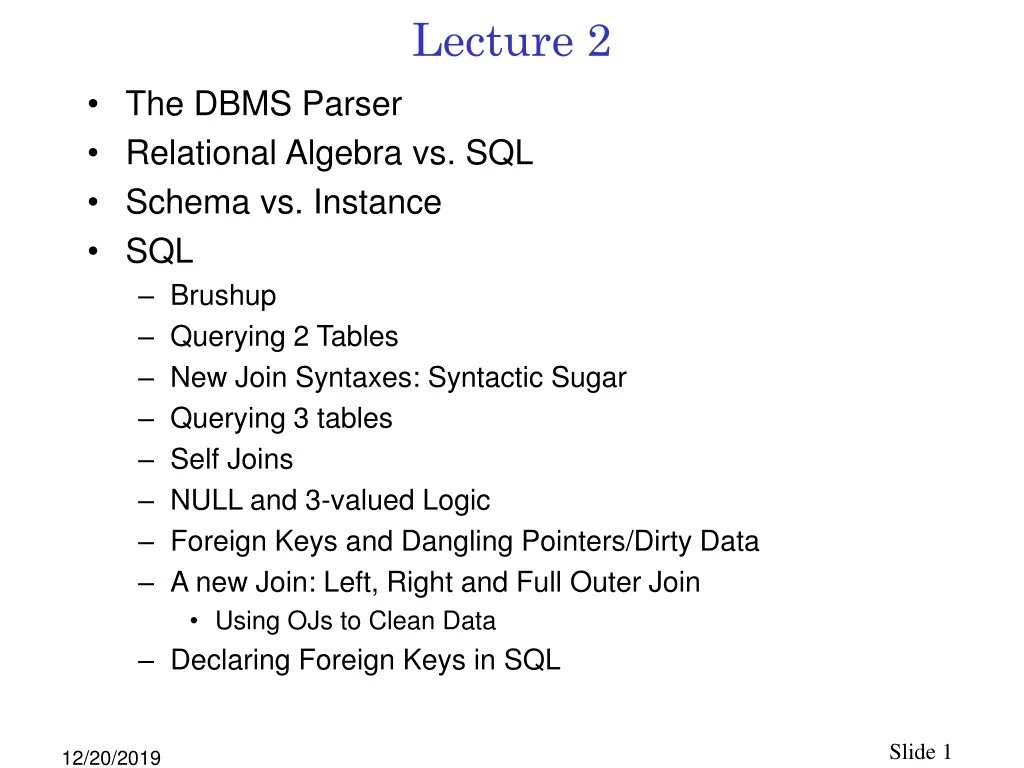
Lecture 2 • The DBMS Parser • Relational Algebra vs. SQL • Schema vs. Instance • SQL • Brushup • Querying 2 Tables • New Join Syntaxes: Syntactic Sugar • Querying 3 tables • Self Joins • NULL and 3-valued Logic • Foreign Keys and Dangling Pointers/Dirty Data • A new Join: Left, Right and Full Outer Join • Using OJs to Clean Data • Declaring Foreign Keys in SQL
Learning Objectives • LO2.1 Given (1) an English query, or (2) an SQL query, involving the join of up to three tables and a where clause, and perhaps a self-join, write the equivalent query in the other form. • LO2.2 Write an SQL query involving NULLs • LO2.3 Write the SQL queries necessary to replace dangling pointers with NULLs.
Prerequisites • The prerequisites for this course are CS 161 and 250. • This week's class will expect you to know the definitions of these terms from CS250: intersection, union, difference of sets. • Please review these concepts from the text that you used for CS250 or its equivalent. • The text that we use at PSU is [James Hein, Discrete Structures, Logic and Compatibility, 3nd Edition, Jones and Bartlett, 2009].
Review, Preview • We are working with structured data, modeled with the relational model. • Databasics Anonymous 7-step method: • Organizing structured data into an ER Diagram, Ch. 2 • Transforming an ER diagram into a Schema of Tables, Ch. 3 • Eliminating anomalies from those tables (normalization), Ch. 21 • Structuring those tables efficiently (physical design), Ch. 22 • Managing those tables using the intergalactic standard language (SQL), Ch. 5 • The DBMS manages the tables internally using Relational Algebra, Ch. 4 • Protecting those tables during concurrent use (ACID properties), Ch. 16 • Accessing those tables through a web-based interface (some scripting language) • This week we continue step 5. Done Next
Web Form Applic. Front end SQL interface (R)DBMS Architecture SQL Security Parser Catalog Relational Algebra(RA) Optimizer Executable Plan (RA+Algorithms) Concurrency Plan Executor Files, Indexes & Access Methods Crash Recovery Database, Indexes
The Parser • We’ve issued some SQL queries. Let’s look more closely at what happens to them inside the DBMS. • If you’ve taken CS311*, you know that a parser transforms a human-readable program statement into an abstract syntax tree • In RDBMSs, the operands in the tree are operators from relational algebra (RA), which we discuss next. • As a preview, we will display the parser’s output for our first SQL query. *Not a prerequisite
1 2 3 Example Parser Output SELECT occup FROM indivcl WHERE amount > 1000; Input: SQL Parser occup Output: Tree of RA Operators amount > 1000 indivcl
Relational Algebra vs. SQL • Here is a taxonomy of what the RA operators do in terms of the SQL statements they imitate: SQLRA SELECT(called PROJECT) WHERE (called SELECT) • I told you that SQL was a messy language. This is the second reason. • RA was invented first, then the inventors of SQL butchered it by totally misusing its terminology.
Parser Discussion • Notice that the parser outputs the RA operators in an order that gives meaning, or semantics, to how the SQL is to be understood. • If you want to know what a SQL statement means, you first execute the FROM statement, then the WHERE statement, then the SELECT statement. • Notice in the architecture diagram that this is NOT necessarily how the query is executed – the query is executed after the optimizer chooses a fast execution strategy. • For example, it may be much faster to first retrieve just the values in the SELECT clause, then identify those satisying the WHERE clause. • Also recall that the parser does other work, like check that the tables exist and the user has permissions.
Relational Algebra • The parser is the only point at which SQL is transformed into RA. • We’ll continue learning SQL, then when finished we’ll learn RA, imitating the way a DBMS works. • Keep in mind that a DBMS will transform each of the SQL queries we study into a tree of RA operators, and that each of these operators operates on tables, not relatons.
Back to SQL: Schema vs. Instance* SELECT occup FROM indivcl WHERE amount > 1000; • What information do you need to determine if this is a valid query? • What information do you need to compute the result of this query? • Moral: Validity depends on the schema, result depends on the instance.
Brushup* • Which committees have received donations in March of greater than $500? Give both the answer and the SQL query.
1 2 3 Double-check!* • Is your SQL correct? The best way to double check is to walk through the semantic meaning of your SQL query, namely execute the statements in the semantic order I gave you, illustrated below, and see if you come up with the right answer. SELECT commid FROM indivcl WHERE amount>500 AND month=3; • After executing the FROM clause, you have what? • After executing the WHERE clause, you have what? • After execiting the SELECT clause, you have what?
Querying Two Tables* • What are the names of committees that received donations < $250? • Here I just want the answer, but next we will think carefully about how you got the answer, so remember how you came up with it.
Querying Two Tables in SQL: FROM* • Our goal here is to discover the SQL for this query. We've discussed the fact that SQL may not correspond to how the query is executed. • Recall that the semantics of SQL require that we consider first the FROM, then the WHERE, then the SELECT clauses. • What should be in the FROM clause? • What else?
Querying Two Tables in SQL: WHERE* • The WHERE clause should accomplish two things that you did in your search for the answer to the query: • Finding • Finding And the resulting WHERE clause is then WHERE 1. 2.
Querying Two Tables in SQL • The SELECT clause is the same in this case, so the resulting query is: SELECT commname FROM commcl [AS] c, indivcl [AS] i WHERE amount < 250 AND i.commid = c.commid; • This is SQL’s JOIN statement. • amount and commname do not need range variables, because there is no ambiguity.
Table names as range variables • If you dislike range variables you can use table names instead (except in the case of self-joins, which we will see below), but it is typically cumbersome. Thus this is legal SQL. SELECT commname FROM commcl, indivcl WHERE amount < 250 AND indivcl.commid = commcl.commid;
Practice* • Display the candidate name and committee name for each committee associated with a [Republican or Democratic] candidate. • Describe this query in nontechnical* English SELECT commname FROM commcl c, indivcl i WHERE month = 3 AND amount > 250 AND i.commid = c.commid; *nontechnical means common English, e.g., answers do not contain jargon like “commid”, “commname” or “month”
New Join Syntaxes: Syntactic Sugar* • The join syntax we are using is Codd’s original SEQUEL (the first name of SQL) syntax. • But WHERE clauses can be confusing since they commingle join terms (i.commid = c.commid) and restrictions (amount>1000). • SQL3 (1999) defined alternative syntaxes that simplify matters, the condition join and the column name join • You are welcome to use either of these forms if you prefer them to the simpler form. They are just syntactic sugar.
Examples of New Join Syntaxes • Original, comma-separated join: SELECT commname FROM commcl c, indivcl i WHERE month = 3 AND amount > 250 AND c.commid = i.commid; • Condition join: SELECT commname FROM commcl c JOIN indivcl i ON c.commid = i.commid WHERE month = 3 AND amount > 250; • Column name join SELECT commname FROM commcl JOIN indivcl USING (commid) WHERE month = 3 AND amount > 250;
LO2.1 Querying Three Tables* • Display the occupations of donors who gave donations > 250 to [REP, DEM] candidates. • Or
LO2.1 Self Joins* • List the occupations of donors who have different occupations and gave the same amount in January. • What is the purpose of the i1.occup < i2.occup term?
NULL and 3-valued logic* • In the entire FEC database 623 out of 3832, or 16% of the candidates, reported no principal committee, and 6722 out of 10289, or 65% of the committees, do not have an associated candidate. • These are recorded as NULL in the PostgreSQL database. • SELECT * FROM tablename WHERE attribute IS NULL; will retrieve them; try it. • The condition assoccand = 'P80002801' returns 3 (!) possible values: true (for committees associated with McCain), false (for committees associated with another candidate), and unknown, for committees that are not associated with a candidate. • This 3-valued logic holds for <>, < and > also.
LO2.2: Practice with NULL Values* • candid's of presidential candidates are those that begin with P. • Write this query in SQL: What are the names of committees in Portland (zip code beginning 97) whose associated candidates are not presidential candidates?
Foreign Keys and Dangling Pointers* • See below for part of the entire FEC database. • Soon we will study foreign keys in SQL, like "princomm references commid" illustrated below. We will need to know which candidates have listed nonexistent principal committees. • We are looking for the analogue of dangling pointers so we can clean up the database. In DBMSs this is called dirty data. • How can we find these dangling pointers/dirty data? cand comm candid candname party … princomm … commid commname treasname street1 …
A New Join: Outer Join* SELECT [attributes] FROM T1 LEFT OUTER JOIN T2 ON (t1 = t2) WHERE [ where condition] • This syntax retrieves matching rows from T1,T2 as usual plus each unmatched row from T1 with a NULL value from T2. • Of course this includes rows in T1 with a NULL value • Practice: Display all dangling pointers/dirty data in the foreign key "princomm references commid" • Remember, there should be 14 of them. cand comm candid candname party … princomm … commid commname treasname street1 …
Right and Full Outer Joins* • Right outer join is like left outer join except unmatched rows are taken from the right instead of the left. • Full outer join takes unmatched rows from both sides. • Practice: Use a right outer join to display all dangling pointers/dirty data in the foreign key "assoccand references candid" comm cand commid commname street1 party … assoccand candid candname party street1 … princomm
Using OJs to Clean Data • Outer join queries can identify dangling pointers. • A DBA can then use this data to manually clean the dirty data • The simplest remedy is to set the dangling pointers to NULL • Hee is an example of this from DDL.sql: SELECT candid INTO temp FROM cand LEFT OUTER JOIN comm ON (princomm = commid) WHERE commid IS NULL; UPDATE cand set princomm = NULL FROM temp t WHERE cand.candid = t.candid; DROP TABLE temp;
LO2.3: Use an OJ to Clean Data* • Write the code necessary to clean dirty pointers for the FK “assoccand references candid"
Foreign Keys (FKs) in SQL • Here is the FK declaration from DDL.sql: ALTER TABLE cand ADD CONSTRAINT cand_fkey FOREIGN KEY (princomm) REFERENCES comm(commid)… • A FK declaration in SQL means • The referent (e.g., comm(commid)**) must be unique* • Every value of the FK must either be null or appear in the referent, e.g., every nonnull value in the princomm column must appear in the comm(commid) column. *An attribute is unique (SQL's term for a key) if it is declared a primary key or is declared with the keyword UNIQUE in the DDL. **If you just say comm, instead of comm(commid), it is assumed the reference is to the primary key. The FK declaration
Trouble in FK Paradise • Ideally, when you declare princomm to be an FK, every princomm value will point to a valid comm(commid) value. But trouble can occur. • The first kind of trouble, which we have seen, is that dirty data (dangling pointers) can reside in the database. • If you try to issue an ALTER TABLE ADD CONSTRAINT FOREIGN KEY… statement, the DBMS will reject it, describing the first dangling pointer. • So the proper behavior is to first clean the data, as we have done.
Trouble in FK Paradise, Ctd. • The second kind of trouble is dynamic. • A referred-to committee can be deleted or its commid may be updated. • To handle this case, you must specify in the FK declaration how you want the DBMS to deal with the trouble. Here is the syntax and its semantics – see the documentation for details: ON ( DELETE | UPDATE ) [ NO ACTION | CASCADE | SET [DEFAULT | NULL] | RESTRICT] ) • NO ACTION: Disallow the delete/update (default) • CASCADE: Propagate the delete/update to this table • SET : change offending value to default (specified in attribute declaration) or to NULL. • RESTRICT: similar to NO ACTION
What to choose? • Why did I make the "ON (DELETE|UPDATE)" choices I did in the DDL? • The choices are artificial because no one is dynamically updating the FEC database. But let's pretend, to get some experience. • (princomm) REFERENCES comm(commid): • ON UPDATE CASCADE: If a committee's ID is changed, a reference to it should be changed. • ON DELETE SET NULL: If the referenced committee is deleted, the candidate has no principal committee. • In indiv, (commid) REFERENCES comm(commid) • ON DELETE CASCADE: If a committee is deleted, donations to it should be deleted.
Purpose of an FK Constraint* • An FK constraint, like any other constraint, serves several purposes • It guarantees to users that the database's data is clean (does not violate the constraint), e.g., anyone can dereference a princomm pointer and find a valid committee key or NULL. • If anyone tries to insert dirty data, the constraint handles the situation, as we have seen. • It provides information to the query optimizer that enables it to choose more efficient methods of query processing, as we will discuss later. • It documents to users the structure of the database. • It centralizes, in the database instead of in application code, a company's business rules.
So What's to Lose with FK Constraints? • After that last slide you might think that you should declare a constraint for every foreign key. • Nothing could be further from the truth, for two reasons. • There may be circumstances, as in the FEC case, where dangling pointers are useful. • An FK constraint can be a big performance hit. • Every time you insert a row, the DBMS must check that its FK referent exists in the target table. This may be a wild goose chase, and in any event it can be expen$ive; it can slow down your database significantly.