
Uploaded by
jory
5 SLIDES
282 VUES
50LIKES
<< 如何利用 iPac 續借 >>
DESCRIPTION
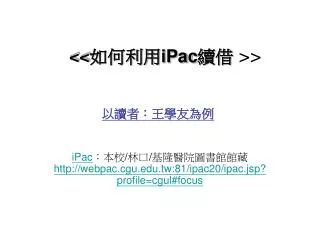
<< 如何利用 iPac 續借 >>. 以讀者:王學友為例. iPac :本校 / 林口 / 基隆醫院圖書館館藏 http://webpac.cgu.edu.tw:81/ipac20/ipac.jsp?profile=cgul#focus. 1. 進入個人讀者檔. 2. 查閱借出館藏. 注意 : 1. 已 逾期 圖書不可續借 !! 2. 辦理續借後 , 出現 [ 達到續借上限 ]. 表示已經續借過 , 不可續借 ! 3. 有其他人預約 時 , 不可續借 !. 3. 點選續借欄 , 按 " 更新鈕 " 。.
Download
1 / 5
Télécharger la présentation 
<< 如何利用 iPac 續借 >>
An Image/Link below is provided (as is) to download presentation
Download Policy: Content on the Website is provided to you AS IS for your information and personal use and may not be sold / licensed / shared on other websites without getting consent from its author.
Content is provided to you AS IS for your information and personal use only.
Download presentation by click this link.
While downloading, if for some reason you are not able to download a presentation, the publisher may have deleted the file from their server.
During download, if you can't get a presentation, the file might be deleted by the publisher.
E N D
Presentation Transcript
<<如何利用iPac續借>> 以讀者:王學友為例 iPac:本校/林口/基隆醫院圖書館館藏 http://webpac.cgu.edu.tw:81/ipac20/ipac.jsp?profile=cgul#focus
注意: 1.已逾期圖書不可續借!! 2.辦理續借後,出現[達到續借上限]. 表示已經續借過,不可續借! 3.有其他人預約時,不可續借! 3.點選續借欄, 按"更新鈕"。
More Related

Audio
Live Player