Enhancing Office Efficiency with the 5S Principle
This workshop focuses on implementing the LEAN Office 5S principles to improve personal and office efficiency. Participants will learn to sort, set in order, shine, standardize, and sustain their workspace for enhanced productivity. Discover how effective organization can reduce time wasted searching for documents and materials. Engage in practical exercises and games that reinforce the 5S methodology. By mastering these techniques, you'll transform your work environment and boost motivation, concentration, and overall performance.

Enhancing Office Efficiency with the 5S Principle
E N D
Presentation Transcript
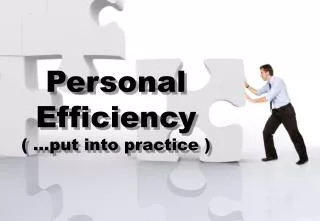
Personal Efficiency ( …put intopractice )
Dearparticipants • I have not yetbeenable to insert the picture of the flipcharts with all yourgreat input. It willcomewithin 8 days • For thosewhowantedimmediateuse of slides – heretheyare • Soren • ( this is 2 hrsafter the course end of the 1st day)
The LEAN Office 5 S Principle, theory, tasks
Goal : • Understand 5 s principle • For offices • Get input for ownoffice • Be able to clean / structureownoffice • Home assignement
Employees use up to 17% of their working time, to look for things in their own office(Compaq survey 2003)
Order & structure? ”Creation of motivation”
Test #1 • Overwelmed by daily load of paper? • Stack of articles & magazines? • Save papers etc, if you don’t when when you might use it again? • Not really enough space on the desk to work? • Business cards multiple places? • Tells people NOT to touch thing on their desk • Spend time looking for ”disappeared documents” • Office where only can find things? • Archive things – and forget where they are? • Post-its & similar various places? • Who dont know where to start?
Mess / Order, whatdoes it mean to … Motivation? Concentration? Performance?
Whats the outcome of ”5 S” Improved order Improved concentration Performance Motivation Image
”UNDERSTAND 5 S”Sort, set in order, shine, standardize & sustain
Whatdoes the ”5 S”s stand for? • 1 Sorting • Sorting, archive, dump • Evt. “doubt”-box • 2. Set in order • Everything has a place • Easy structure • 3. Shine • Cleaning up • 4 Standardize • Standards & routines • Best practice • 5. Sustain • Keeping standards • Constant inprovement • 5 minute 5 S
The 5S game Find whatyouneed in 30’
The order game 5S Find what you need in 30 seconds!
The order game 5S • Round 1 ”The mess” • Next slide shows numbers from 1-99 • Count from 1 and up to 49 by finding the numbers on the slide • You have 30 seconds • When time is up note what number you just counted
The order game 5S • Round 2 ”Sorting” • The irrelevant numbers are eliminated • Position of rest of numbers is identical to before • Count from 1 and up to 49 by finding the numbers on the slide • You have 30 seconds • When time is up note what number you just counted
The order game 5S • Round 3 ”Set in an order” • Next slide shows numbers from 1-49, identical position • They are systemized by a grid with 9 areas • You have 30 seconds • When time is up note what number you just counted
The order game 5S • Round 4 ”Standardize” • Next slide shows numbers from 1-49, identical position • They are systemized in an easy recognisable pattern • You have 30 seconds • When time is up note what number you just counted
The order game 5S • Round 5+ ”Sustainingwithout standard” • Next slide shows numbers from 1-49 • Except 2 numbers are missing • Find the missing numbers
The order game 5S • Round 6 ”Sustaining with open standard” • Next slide shows numbers from 1-49,systemized! • Except 2 numbers are missing • Find the missing numbers
Whatdoes the ”5 S”s stand for? • 1 Sorting • Sorting, archive, dump • Evt. “doubt”-box • 2. Set in order • Everything has a place • Easy structure • 3. Shine • Cleaning up • 4 Standardize • Standards & routines • Best practice • 5. Sustain • Keeping standards • Constant inprovement • 5 minute 5 S
Why 5S ? ”Whathappenswhen 5S is used?Have a wildguess…
SORT Dump, save, archive
Whatgoeswhere ? • Stays in the office • Goes to archive(own/mutual) • Is dumped • - Whatare potential criteria?
Before… 3
Whatgoeswhere ? • Stays in the office • Goes to archive(own/mutual) • Is dumped • - Whatare potential criteria?
Tip :”Touch and go” First & get a hold of EVERYTHING in the office. • Dump or save? • What are YOUR criteria? • What will you ask yourself about? • Save • The ONLY copy – or very hard to get a new • Legislative demands • Part of a customer/project file • Need it again REAL soon • Dump • It is a copy, or others have the information • Very (!) old – or won’tmake a difference • Won´t (ever!) get time for it • Archive • Importantstuffthatyou dont useregularly • Customer files & - projects • … • Touch = deal with it now (RAR)
TIP : go for Remote Zone first Begin with the remote zone and worktowards the desk (Typically the areabehind/aroundyou • Find a BIG plastic bag – or several • Make space to sort on • Begin with the oldeststuff • Easier to dump • Getsuccessexperience • The ”Clint eastwood” way • Put ALL yourstuff on the floor – ALL of it (!) • ONLY put stuff back thatyouneed • Dump or archive rest
Office areas… 3 2 1
Your Offices
2. SET IN ORDER Whatgoeswhere
Whatwould YOU placewhere ? • Desktop / workingarea • Close archive • Remote archive(own/mutual) • - Whatare potential criteria?
Primary zone= city logistics! • How’s your logistics lay out? • PC, shelves, phone, drawers? • Match of usage frequency? • What should be here…
Tip : Archive & arrange Archive • Make a (your) system – alphabetic, chronologic, frequency of use fx • Use binders, labels, tabs • Whatare YOUR mainareas of work/filing? Re-arrange / group • Put similarthingstogether • Make new efficient, practical system • Fx afterhowoftenyouusethings KEEP ORGANIZING! … do NOT work/read the materialsnow!
TIP : binders • Handle ALL papers in binders • Evaluate, sort, dump, regroup • Put new labels on • ”wide” categorynames • Short, easynouns • Fill binders or useother filing system • Group in file types • Projects • Administration • …”pending” • Pictures / icons on back • Pick up and (re-) sort regularly
3. SHINE Good old cleaning up
Whathappenswhen… - Youcleanregularly to - You? performance concentation motivation - Otheraroundyou ? perception standards
Clean ”whatwouldbe the most efficientcleaningcycle & frequency for you?”
4. STANDARDIZE Best practise for all
Make / ensure standards & bestpractices • Make standards • For officeoutline • Traffic & logistics • For document management • Stay, archive, dump • Internal procedures • Incorporate in daily jobs • How to implement ”bestpractice” • Choose ” BP agent” / procedure
5. SUSTAIN The 5 minute 5 S
5 minute of 5 S – everyday / week • Sort • Removeunnecessary items to holdingarea • Throw out trash, garbage • Red tag/mark all thatyoareunsure of • Set in order • Check standard areamap • Move all items to proper place • Shine • Clean desktop & equipment • Pick up all ”stuff” on ground / horisontal areas • Standardize • Check maintenanceschedule & perform task • Sustain • Make sure next ”5 min 5S” is in calendar
Your work can start now
Goal : • Know 5 s principle • For offices • Get input for ownoffice • Be able to clean / structureownoffice • Home assignement