Understanding Software Bugs and Effective Debugging Techniques
This guide explores the nature of software bugs, defining them as defects that lead to program malfunctions. It provides historical context, including the first recorded computer bug in 1945, and highlights significant incidents caused by bugs, such as Ariane 5 Flight 501 and the NASA Spirit rover. The document outlines various debugging methods, including using tools like Eclipse and NetBeans. It emphasizes the importance of structured design to minimize bugs and offers insights on utilizing debugging features effectively to streamline the development process.

Understanding Software Bugs and Effective Debugging Techniques
E N D
Presentation Transcript
Software Debugging Prasad Perera COMP 249 1 / 28 COMP249 Winter 2013 : Software Debugging
What is a software Bug ? • A defect in a computer program causing it to malfunction • Reasons: • Insufficient logic or erroneous logic • Design flaws • Hardware failures • Etc. 2 / 28 COMP249 Winter 2013 : Software Debugging
What is a software Bug ? Cont’d. • First computer bug was in fact an actual Bug • 1945 at Harvard, a moth trapped between two electrical relays of the Mark II Aiken Relay Calculator caused the whole machine to shut down. 3 / 28 COMP249 Winter 2013 : Software Debugging
Some famous Bugs • The European Space Agency's Ariane 5 Flight 501 was destroyed 40 seconds after takeoff (June 4, 1996) due to a bug in the on-board guidance software. • NASA's Spirit rover became unresponsive on January 21, 2004, a few weeks after landing on Mars due to accumulation of too many files in the rover's flash memory. 4 / 28 COMP249 Winter 2013 : Software Debugging
Some famous Bugs cont’d. • The 2003 North America blackout was triggered by a local outage that went undetected due to a race condition in General Electric Energy's XA/21 monitoring software. • Smart ship USS Yorktown was left dead in the water in 1997 for nearly 3 hours after a divide by zero error. 5 / 28 COMP249 Winter 2013 : Software Debugging
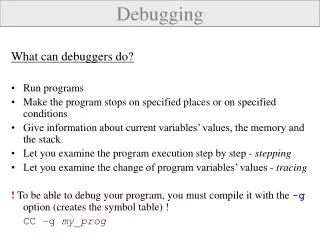
What is software Debugging? • The process of investigating and fixing defects / bugs within a computer program. • Methods of debugging • printf debugging • Log scrapping • Post-mortem debugging • Debugging of the program after it has already crashed. • Create core dumps/crash dumps • Analyse using various tools : WinDbg, gdb • built-in debugging features in IDE Platforms, Visual Studio.NET, Eclipse, NetBeansetc. 6 / 28 COMP249 Winter 2013 : Software Debugging
Debug using Eclipse • Debugging support on Eclipse • Provide and execution mode ‘Debug’ • Lots of features to investigate the program behaviour while it’s executing. • You can download the provided program ‘BankApplication’ to follow the rest of the tutorial! 7 / 28 COMP249 Winter 2013 : Software Debugging
Eclipse Debug view 8 / 28 COMP249 Winter 2013 : Software Debugging
Eclipse Debug Features: Breakpoints • Breakpoints • Set a particular breakpoint inside the code. • When executed in Debug mode, the execution get suspended at the breakpoint. • Gives the facility to investigate current execution status of the program. 9 / 28 COMP249 Winter 2013 : Software Debugging
Setting a breakpoint in Eclipse 10 / 28 COMP249 Winter 2013 : Software Debugging
Eclipse Debug Features: Breakpoints cont’d. Step Return (F7) Resume (F8) Step Into (F5) Step Over (F6) 11 / 28 COMP249 Winter 2013 : Software Debugging
Eclipse Debug Features: Different Views • Execution View 12 / 28 COMP249 Winter 2013 : Software Debugging
Eclipse Debug Features: Different Views cont’d. • Stack View 13 / 28 COMP249 Winter 2013 : Software Debugging
Eclipse Debug Features: Different Views cont’d. • The Variables View 14 / 28 COMP249 Winter 2013 : Software Debugging
Eclipse Debug Features: Different Views cont’d. • The Breakpoints View 15 / 28 COMP249 Winter 2013 : Software Debugging
Eclipse Debug Features: Line breakpoint properties 16 / 28 COMP249 Winter 2013 : Software Debugging
Eclipse Debug Features: Line breakpoint properties cont’d. • Set ‘hit count’ break points • The program suspends at the particular break point when it reaches the ‘hit count’ limit. • Set ‘conditional’ break points • The program suspends at the particular break point when the given condition is true. 17 / 28 COMP249 Winter 2013 : Software Debugging
Eclipse Debug Features: Line breakpoint properties cont’d. 18 / 28 COMP249 Winter 2013 : Software Debugging
Eclipse Debug Features: Conditional line breakpoints cont’d. 19 / 28 COMP249 Winter 2013 : Software Debugging
Eclipse Debug Features: watchpoints • A watchpoint is a break point which targeted on a particular field. 20 / 28 COMP249 Winter 2013 : Software Debugging
Eclipse Debug Features: Method breakpoints • A method breakpoint is a break point which targeted on a particular method. 21 / 28 COMP249 Winter 2013 : Software Debugging
Eclipse Debug Features: Expression View & Watch Expressions 22 / 28 COMP249 Winter 2013 : Software Debugging
Eclipse Debug Features: Expression View & Watch Expressions cont’d. 23 / 28 COMP249 Winter 2013 : Software Debugging
Debug using NetBeans • Basic features are more or less the same as in Eclipse. 24 / 28 COMP249 Winter 2013 : Software Debugging
Debug using NetBeans cont’d. • NetBeans also supports: • Line breakpoints. • Watchpoints • Method breakpoints • Provide different views: • Code execution • Variables • Breakpoints 25 / 28 COMP249 Winter 2013 : Software Debugging
Moral of the story... • Try to avoid writing buggy code! • Design your program before putting it in to code. • Modularize your code. • Test continuously whathas implemented so far. Yet ... In reality, bug free code is a hard guarantee! 26 / 28 COMP249 Winter 2013 : Software Debugging
In conclusion • Happy Debugging 27 / 28 COMP249 Winter 2013 : Software Debugging
References • http://en.wikipedia.org/wiki/Debugging • http://www.vogella.com/articles/EclipseDebugging/article.html#debugging_overview • http://en.wikipedia.org/wiki/List_of_software_bugs 28 / 28 COMP249 Winter 2013 : Software Debugging