Operating Systems
This overview explores the essential functions and types of operating systems (OS) that manage computer operations. OSes are categorized into various types, including batch, interactive, real-time, and multiuser systems. We delve into the roles of both application software, which performs user tasks, and system software that handles resource management. Key concepts include managing hardware resources, memory allocation, process scheduling, and providing abstractions through APIs. Discover how operating systems streamline operations and ensure efficient resource use in diverse computing environments.

Operating Systems
E N D
Presentation Transcript
Operating Systems Who’s in charge in there?
Types of Software • Application Software : Does things we want to do • System Software : Does things we need doneLow level details
Operating System • Operating System : Software that manages the operation of a computer • Not all computational systems have an OS • Early computers • Embedded systems
Varieties of OSes • Batch • Submit list of jobs
Varieties of OSes • Interactive • Single user single task • Single user / multitask • Multiuser
Operating Systems • PC Operating Systems • Windows • *nix • Linux • MacOS X
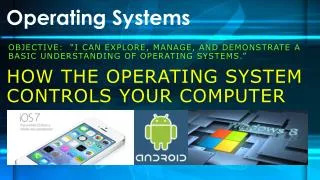
Operating Systems • Phone OSes • iOS • Android • Windows • Palm
Varieties of OSes • Real Time / Dedicated
What do they do? • Manage hardwareresources • Provide an abstraction • Allocate scare resources
Abstraction • API : Application Programming Interface • Set of functions software can do • OS API Features • Functions (blocks) to • Read files • Use a network • Draw windows • Get mouse position
Resource Scarcity • Resources scarce in • Time • Processor • IO / Disk • Space • Memory • Disk
Resources - Processes • OS manages what process(es) are running • Interrupts cause operating system to grab control • Timer • Hardware signalsthat data is ready http://faculty.chemeketa.edu/ascholer/cs160/VTCS0/OS/Lessons/Processes/index.html
Resources - Processes • Processes Challenge: • Lots of incoming jobs, how do you determine how to handle them? • Shortest job first? • Round robin?
Resources - Processes • Processes Challenge: • Lots of incoming jobs, how do you determine how to handle them?
Resources - Memory • Memory : Where running programs & data are stored
Virtual Address Space • Application memory scattered all over • Virtual address space makes it look clean to application
Resources - Memory • Memory is a hierarchy
Resources - Memory • Constant shuffle between levels • CPU registers have some information • Cache has a larger set • Main memory has a bigger set • The disk has everything else
Resource Abstraction • Hard Drive workings: http://www.youtube.com/watch?v=kdmLvl1n82U&feature=related • What a programmer wants • Open the file called "essay.doc"
Resources - IO • Keyboard, Monitor, Network, Printer… • Mange flow of information • Maintain buffers • Handle hardware interrupts • Provide application access